এপিকিপিউর এ নিরাপদ এবং দ্রুত APK ডাউনলোড
APKPure বিরুদ্ধ সংকেতচিহ্ন যাচাইকরণ ব্যবহার করে আপনাকে ভাইরাস মুক্ত UPCA APK ডাউনলোড উপলব্ধ করানোর জন্য।

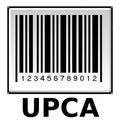
Create and Print UPCA barcode labels in seconds.
Create and Print UPCA barcode labels in seconds. Also it allows yourself to verify if the control digit of the UPCA is correct. Introduce 11 digits and press the Paint button. The application will take charge generating the control digit and drawing the barcode. The label can be saved in the SD card pressing the button Save.
Use the button Share or go directly to the external card, to share all the generated labels.
How to print:
• Download the printer server to your PC, downloaded and installed in 2 minutes.
https://sites.google.com/site/mlcprintserver
• Write a code and click the print button.
• The first time creates a connection to the server.
• Choose printer, resolution, paper size and number of copies.
Advantages of bar code :
- Agility in labelling prices
- Quick control of the goods stock
- Low cost to print
- It allows to capture quickly the information
- The equipments of reading and printing bar code are flexible and easy to connect and install.
- It allows an automate record and follow-up the products.
- Etc
It is applied in :
- Inventory control
- Point of sale
- Quality control
- Turnover
- Libraries service
- Etc



Android-এ XAPK/APK ফাইল ইনস্টল করতে এক-ক্লিক করুন!

আপনার রেটিং এবং প্রতিক্রিয়া জন্য ধন্যবাদ!
আপনি ইতিমধ্যে রেট করেছেন।