
Muat turun APK Selamat & Cepat di APKPure
APKPure menggunakan pengesahan tandatangan untuk memastikan muat turun APK Profile Pic Editor tanpa virus untuk anda.

Edit your profile pictures and album photos with "Profile Pic Editor"app.
Profile Pic Editor is a powerful and best photo editor app with many amazing features for you. Add new effects, filters or shapes for your profile photo with one tap for all social networks. Beautify your profile photo or any photo by using this editor app. Simple but powerful photo editing app to apply filters, adjust colors, and give shape for your profile photo. This profile Photo editing app makes all pictures into high quality squared(default) and multiple size images for all social media app. This photo editor includes Various Filters, Effects, Fixes, Enhance, Rotate, Crop, Lights, Brightness, Contrast, Highlights, Shadows,Temperature, Tint, Saturation, Color boost.
Features
- Quick and simple way to edit your profile picture or any pictures.
- Take picture with your built in camera or upload it from your photo albums.
- Post entire photo on social networks without Crop that is No Crop.
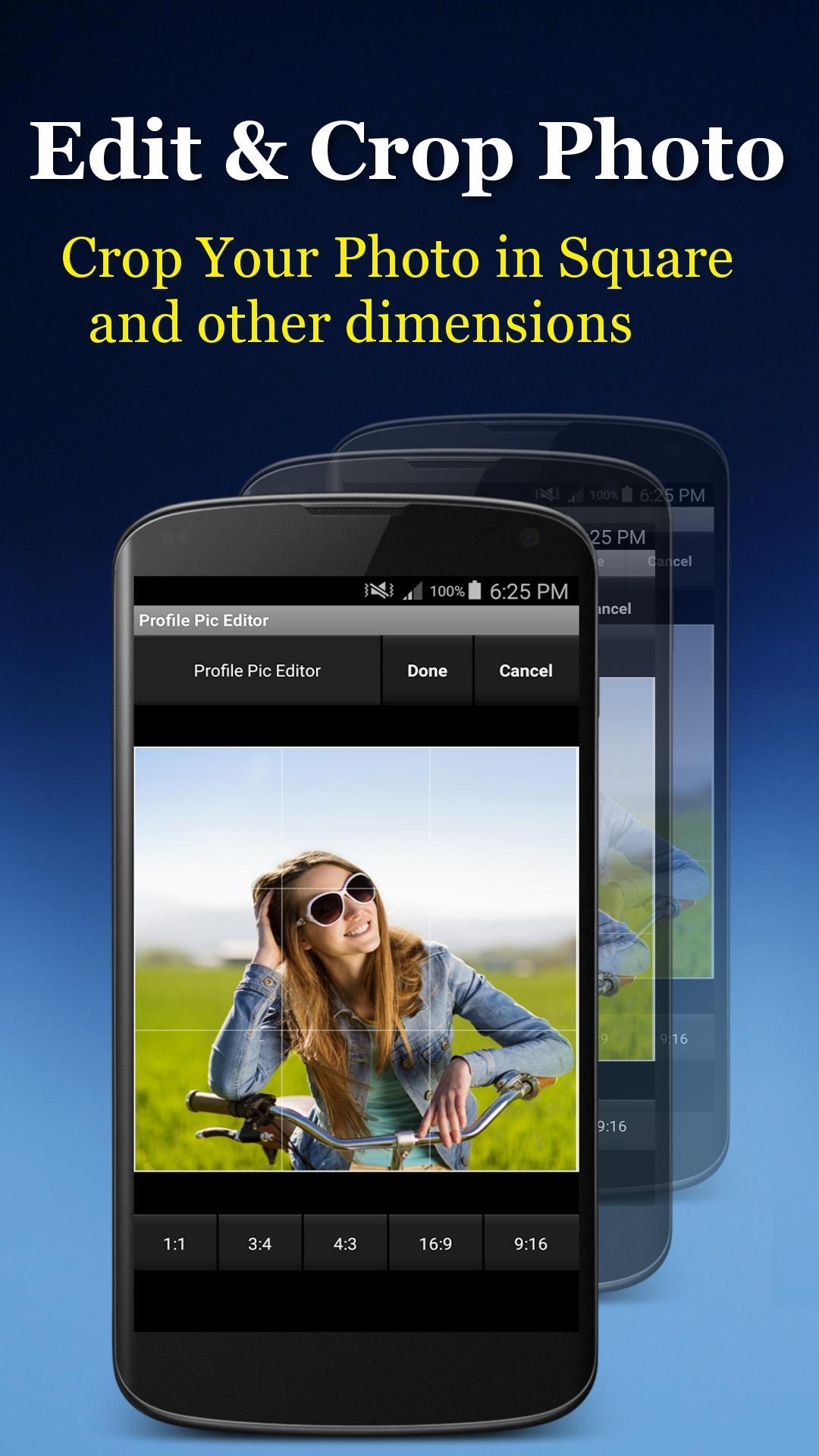
- Crop your photo in multiple dimensions.
- Many amazing effects and filters for your photos.
- Revert all the effects ie reset photo.
- Flip your photo in horizontal direction.
- Enhance the photo by applying amazing photo filters.
- Add border for your photo with different color, corner and border.
- Frame your photo with different beautiful frames.
- Make your photo in different shape with different different color.
- Adjust brightness, contrast, color temperature, saturation and much more.
- Save your Photo in SD Card(Pictures) and Share your created photo on social networks to your love and friends.
Including some popular features like Crop, Effects , Filters, Overlay, Blur, Shape, Photo blender, Frame, Border, Reset, Flip etc option this is not just a Profile Picture maker app, by using these options you can edit your any photo so it is a best Photo Editor app too.
How to use Profile Pic Editor:
1. Open Profile Pic Editor App.
2. Select a photo from the gallery or take photo using the device camera.
3. Crop your selected photo either 1:1 (Square)aspect ratio or any different given aspect ratio.
4. Once you are done with Crop photo functionality click on done button and it will go you on next screen.
5. In this screen you can see lot of options.
a) Effect:- Click on this option you will go on next screen having option of lots of effects like Sepia, Saturation, Vignette, Gamma, Amatorka, Hue, Sharpness, Color balance and many more.
b) Overlay:- Click on this option you will go on next screen having lots of bokhe overlay.
c) Blur:- Click on this option you will go on next screen, you will get Square photo with PIP( pic in pic).
d) Shape:- Click on this option you will go on next screen, select any shape which you want with different colors.
e) Add Photo:- Click on this option you will go on next screen, where you can choose any new photo from gallery to add on this photo with transparency, adjust the position of chosen photo by apply any gesture like Rotate, zoom in, zoom out. you can change photo transparency or opacity any time.
f) Frame:- Click on this option you will go on next screen, where you can choose any given frame.
g) Border:- Click on this option you will go on next screen, where you can add border for your selected photo with different colors, corner and border size.
h) Reset:- When you click on it will revert all the effects and set it with your original selected photo.
i) Flip:- When you click on it it will flip your image horizontally.
j) Save:- When you click on it it save your selected image with applied effects and filters in your device Pictures folder.
k) Share:- By this you can share your photo with all social networks like Facebook, Instagram, Google Plus, Whatsapp, Twitter.
Open source libraries used
imagecropview - https://github.com/naver/android-imagecropview
gpuimage - https://github.com/CyberAgent/android-gpuimage
We would love to hear from you. Please let us know by sending an email at [email protected] for any questions.



Satu klik untuk memasang fail XAPK/APK pada Android!

Terima kasih atas penilaian dan maklum balas anda!
Anda sudah dinilai.





