Muat turun APK Selamat & Cepat di APKPure
APKPure menggunakan pengesahan tandatangan untuk memastikan muat turun APK Robot Control Pro tanpa virus untuk anda.

Mengawal robot anda dengan sensor cahaya dan dua peranti android dan mengambil foto
If you dont have bluetooth module on your robot but you have light sensors, you can control your robot with this app via bluetooth
Requirements;
2 android devices with bluetooth (Phone or tablet)
At least 2 light sensors
A box that you put one of the devices in
How to Use
Install the app on both devices.
Fix light sensors suitable place to device screen facing
If you want you can add distance sensor.
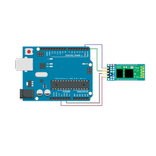
Connect the light and distance sensors on the robot and the engine needed connections.
Install the appropriate software for your robot.
Make the Bluetooth connection by running the application on both devices. The first connection may need to pair the devices.
Put the device into one box. Make sure the box inside is dark enough.
Start by touching the other device's screen to control the robot.
The right to go right, go left to the other side, to go forward, touch both sides.
You can use the 3rd layout to play the siren or go backward.
You can take pictures,hide/show joystick and buttons using the menu.



Satu klik untuk memasang fail XAPK/APK pada Android!

Terima kasih atas penilaian dan maklum balas anda!
Anda sudah dinilai.