Downloads seguros e rápidos de APK no APKPure
O APKPure usa verificação de assinatura para garantir downloads de APK Safe Browser - The Web Filter sem vírus para você.


429.5 KB
Tamanho do arquivo
Android 2.1+
Android OS
Faça compras no Google Play pela Web. Compre e receba o conteúdo instantaneamente em seu smartphone ou tablet Android sem perder tempo com a sincronização.
Cloudacl Safe Web Browser is cloud based content filtering safe web browser which monitoring millions websites and billion of webpages to keep you family especially your kids have a safer internet surfing environment.
Cloudacl Safe Web Browser has the following features:
===
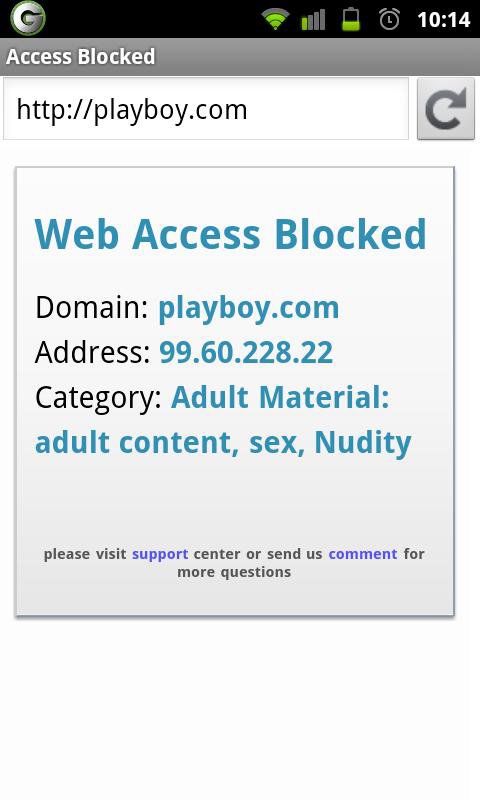
★ Anti Porn, Anti Adult content website
★ Anti Abused Drugs including Marijuana
★ Anti online game to block the popular game related website
★ Anti Violation, gambling or gun related website or forums
★ Anti social networking to block popular website like facebook.com and twitter.com
★ Anti spyware and virus web site
★ Anti anonymous proxy web site to bypass firewall or parental control software
★ Anti spam web site used to sending most of the spam email in the internet
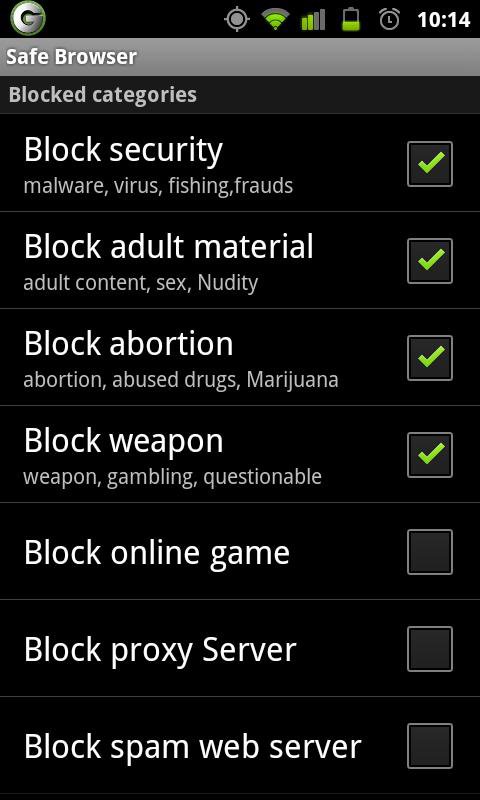
The following 9 security categories are supported in the blocking setup.
====
★ Sites hosting spyware, virus, fishing & frauds
★ Adult sites including adult content, sex, nudity
★ Sites related abused drugs & Marijuana
★ Bandwidth consuming sites peer2peer, online storage
★ Sites including weapon, gambling, questionable
★ Online gaming sites
★ Online sites used as proxy server
★ Sites used for spamming
★ Social-networking, dating and media streaming
Setup admin or parent password:
==
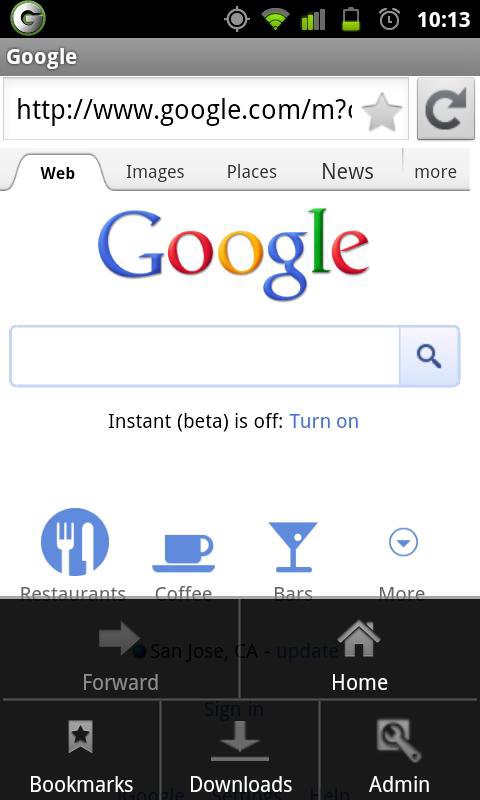
0. open safe browser application
1. click the configuration button on your phone
2. click admin icon in the configuration menu
3. type your password, then click Ok
4. now your are in parent or admin mode
5. do step #1 again to configure your security policy
In admin mode, you can configure the categories and sites you want to block, in normal (restricted) mode, you can only browse sites allowed.
How to set safe browser as your default browser
===
1. Click menu button, select "Manage apps"
2. Select "Browser" (which means your Android default browser)
3. Click "Clear defaults"
4. Follow the instuction "If no default browser setting"
5. Click Home button to exist app manager
6. Click the browser icon on the status bar
7. Browser list window will pop up
8. Check "Use by default for this action", and then click "Safe Browser" to set default browser
When you visit a new category which is not in the Cloudacl WebFilter addon database, your browser will query Cloudacl cloud service for the visiting URL which addressed in our privacy policy on our website:
http://cloudacl.com/privacy_policy.html
our website:
http://cloudacl.com
If you have any question, please contact us at [email protected]


Um clique para instalar arquivos XAPK/APK no Android!

Obrigado pela sua classificação e feedback!
Você já classificou.