Downloads seguros e rápidos de APK no APKPure
O APKPure usa verificação de assinatura para garantir downloads de APK Secret Passcode Lock Screen sem vírus para você.

12.0 MB
Tamanho do arquivo
Everyone
Android 4.1+
Android OS
LockScreen Passcode segredolockscreen PasscodeA melhor aplicação da tela de bloqueio
Secret Passcode Photo Lock Screen
lock screen
lock screen password
photo keypad lock screen
photo lock screen is a very beautiful application. It protect your phone.
Some applications do not perform the origin of the HOME button, BACK, RECENT while this application can do that.
We support many types of lock screen:
- Lock screen pattern
- Lock screen password
- Lock screen keypad
- Lock screen slider
- Lock screen like Iphone
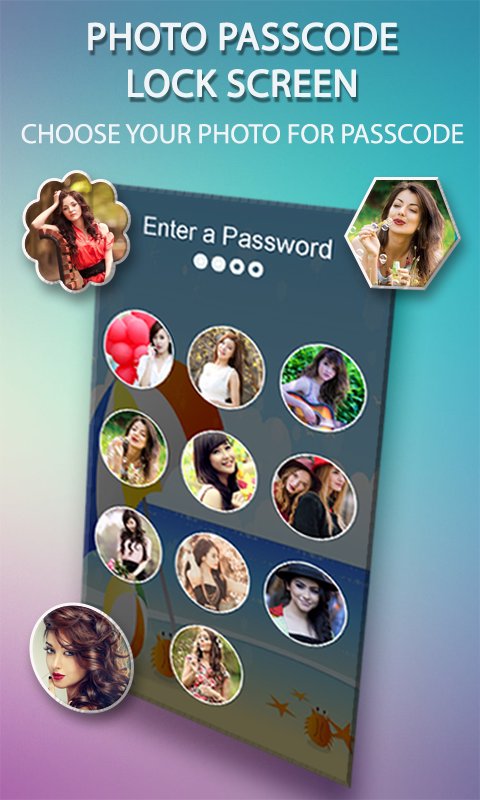
photo keypad lock screen is a application which is used for lock screen and add photo to screen.
This Photo lock screen photo have features: keypad lock screen, Create image for button, and turn off screen by shortcut
- This app is easy to use and very beautiful.
- Support set pin password for lock security.
- Enter pin to unlock.
- Create passcode to lock your phone
- A lot of beautiful wallpapers to choose
- Photo Keypad Lock Screen also allows to use wallpaper from Your gallery
- You can add photos of relatives for the lock screen button
- Crop or re-size the photo you choose to have included.
- Personalize your lock screen
Have you been looking for cool lock screens? Your search for the cool lock screens ends here then!! This Classic Lock Screen keep your Android Lock Screen beautiful and customized with interesting themes for decorating your screen lock or lock screen while protecting privacy and ensuring security.
photo keypad lock screen is a application which is used for lock screen and add photo to screen.
This Photo lock screen photo have features: keypad lock screen, Create image for button, and turn off screen by shortcut
- This app is easy to use and very beautiful.
- Support set pin password for lock security.
- Enter pin to unlock.
- Create passcode to lock your phone
- A lot of beautiful wallpapers to choose
- Photo Keypad Lock Screen also allows to use wallpaper from Your gallery
- You can add photos of relatives for the lock screen button
- Crop or re-size the photo you choose to have included.
- Personalize your lock screen
HOW TO USE :- You’ll find a toggle that allows you to enable or disable the tweak and a ‘Choose Images’ button which will take you to a new interface where you can add a photo to each of the passcode buttons from the stock Photos app or even take a picture instantly and use it. These images will appear right behind the keys as you can see from the screenshot above.
This ' Secret Passcode Photo Keypad Lock Screen' has been tested extensively on following devices:
* Galaxy S2,Galaxy S3,Galaxy S4,Galaxy S5,Galaxy S,Galaxy Y.
* HTC One,HTC Explorer,HTC M8, HTC One,HTC Explorer,HTC M8.
* LG2,LG3.
* Xperia Z1,Xperia Z2,Xperia Z3.
* Nexus 4,Nexus 5,Nexus 7.





Um clique para instalar arquivos XAPK/APK no Android!

Obrigado pela sua classificação e feedback!
Você já classificou.



