Downloads seguros e rápidos de APK no APKPure
O APKPure usa verificação de assinatura para garantir downloads de APK Zen File Manager sem vírus para você.

Uma tomada elegante e intuitiva em gerenciamento de arquivos móvel
***Important***
- ZEN is a free and fully-featured app!
- In addition to the standard English version, ZEN has been localized into Chinese (simplified), Dutch, French, German, Korean, Japanese, Polish, Portuguese, and Spanish. More languages will be added soon.
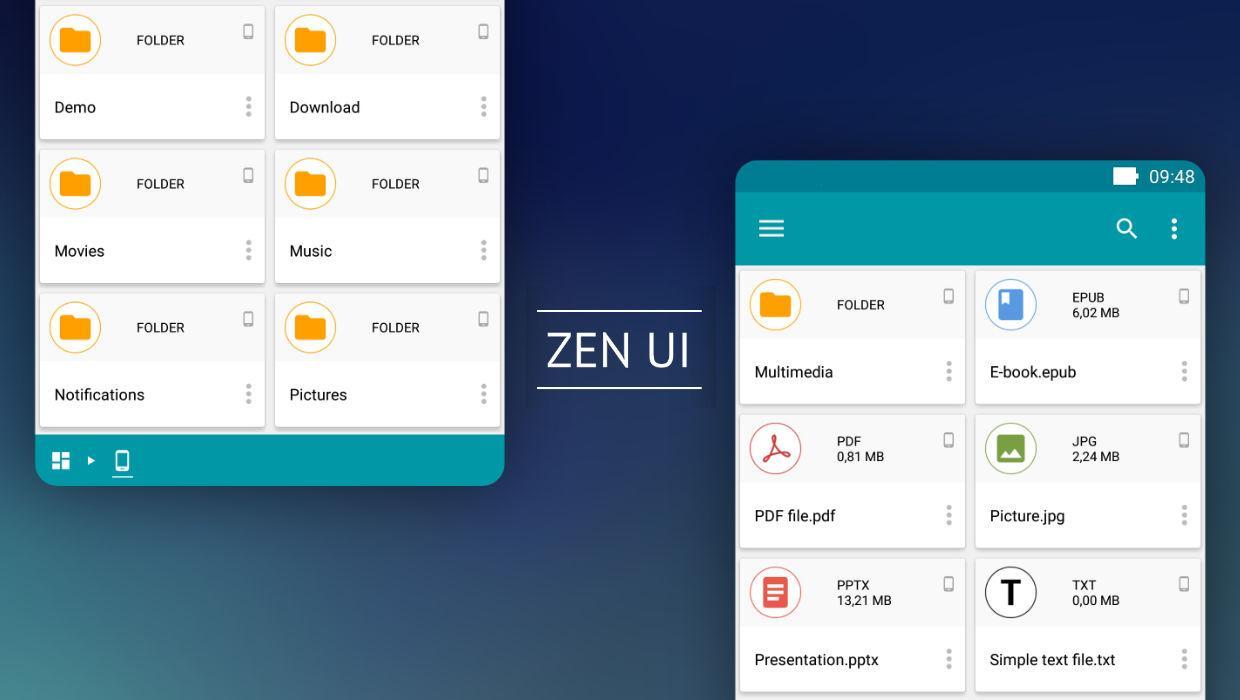
ZEN File Manager is an app that offers a fresh mobile file management experience. Rather than going for the conventional Swiss-army-knife approach, the app avoids feature bloat and instead focuses on delivering essential functionality inside a highly refined UI that is fully optimized for mobile phones. If you are looking for an elegant, simple, yet immensely usable file manager that combines a gorgeous design with a small memory footprint, the app should be at the top of your list.
Whether in functionality, design or underlying code, ZEN stands out for its attention to detail and quest for the perfect user experience. The app offers all the familiar functions of a mobile file manager but every aspect has been revamped and simplified, resulting in a dramatic difference in power, speed and usability.
Words don’t do it justice. You have to try it out to experience the difference!
Key features of the app include:
1) ZEN UI: Need we say more?
2) Readable file names: Although this may sound obvious, a quick look at existing mobile file management solutions shows it really is not. With ZEN, you will never have to guess the name of your files again.
3) Swipe to previous location: File paths are cached so you can swipe up and down the file tree. This is a major time saver that you will immediately appreciate once you try it out.
4) Revamped file operation system: Add files to the clipboard, go to a different folder, add more files to the clipboard and repeat this process as many times as you like before performing an operation (copy, move, zip, share) on the selected files. Another huge time saver!
5) Flexible clipboard access: Browse the clipboard to confirm or adjust your file selections before performing an operation on them.
6) Fast search: Be amazed as you see search results update in real time for each character input.
7) Favorites as a virtual drive: Favorites working the way you would expect. It was about time! Tag files as favorites and find them back in your favorites drive, distinguished by an icon showing their origin.
8) ZEN is built for mobile phones running Android Lollipop (5.0) and above.
9) More functionality will be rolled out with future updates!
Last but not least, we are providing ZEN as a fully-featured, FREE app. In other words, there are no in-app purchases, ads, fees, locked features or signup requests.
Stay tuned for further updates and please help spread the word!
The ZEN Team



Um clique para instalar arquivos XAPK/APK no Android!

Obrigado pela sua classificação e feedback!
Você já classificou.