Sichere und schnelle APK-Downloads auf APKPure
Mit APKPure können Sie Auto Call Recorder APK einfach und sicher mit Signaturüberprüfung herunterladen.

Welcome To automatic Call Recorder 2016
Automatic Call Recorder 2016 is an application that allows you to record your outgoing telephone calls.
The entire call is recorded and saved on your phone and your phone only. Unlike other call recording apps your recordings are private and are not saved on a third party server.
You can use Call Recorder to make and record national or international calls from any Android device including tablets.
Call Recorder is very easy to use: just like your phone dialer, you just make a call from the app and it will be recorded.
Your recorded calls can be:
- Played on the phone.
- Sent via email.
- Transferred to your phone (.wav format).
- Deleted.
You can also set a title for each recording.
Features of this app :
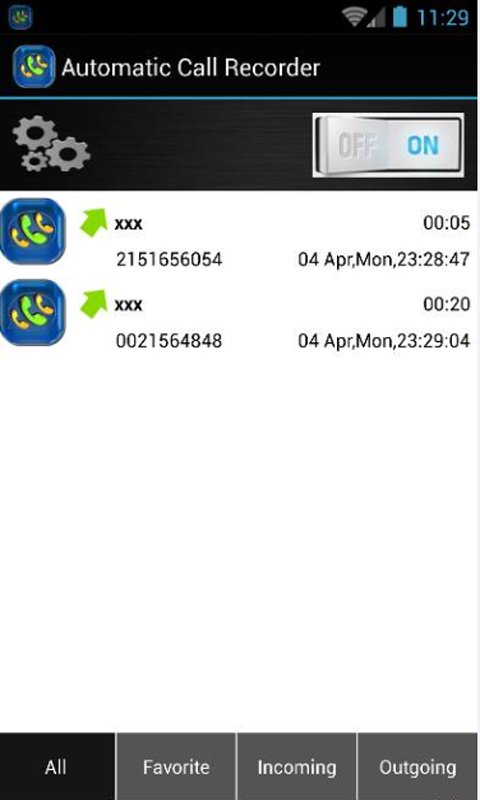
- Record your all calls automatically while calling or ask every-time to record new call.
- Search call by name or phone number.
- Organize your call records. You can see calls as all calls records, only incoming, only outgoing, date and time easily.
- Share recording to Bluetooth, Message etc.
- Play, save and delete, call recordings
- Ignore recording for specific contact or phone number
- Add caller phone number to contacts
- See caller history
Automatic Call Recorder - Full list of Features:
• Automatic phone call recording based on predefined rules.
• Crystal Clear MP3 Audio Quality
• Shake to record (Premium option). Start recording any call instantly by shaking your device.
• Recording Filter. You can choose between recording all calls, only calls made with your contacts or calls from unknown numbers. It is even possible to choose which contact from your contact list will be recorded or ignored.
• Favorite calls list. Permanently stored calls that will not be deleted
• Automatic Dropbox synchronization (Premium option). You can sync all calls or favorite calls automatically.
• Manual Dropbox synchronization. You can choose to sync each recorded file separately.
• Notifications. Once the recording has been started you can be notified either by notification icon or a sound. You can even choose which sound will be played (Premium).
• After call action menu (Premium). This option is useful if you want to review each call and instantly delete the recording, write additional note or add it to favorites.
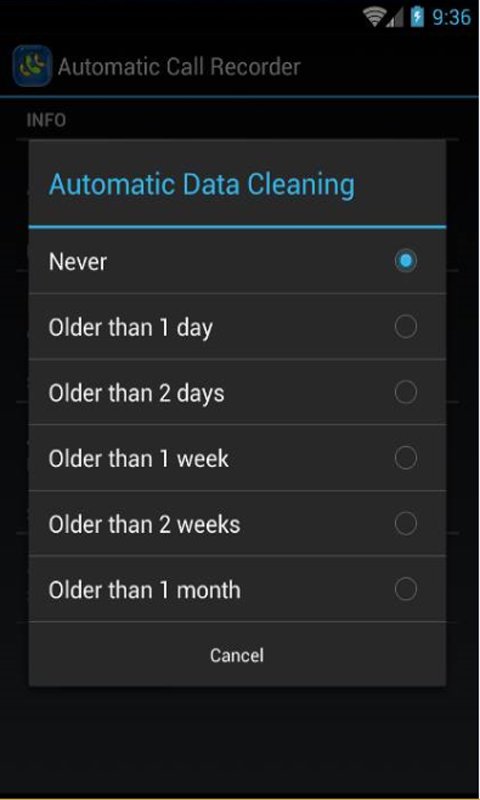
• Advanced Memory Management. It is possible to limit the memory space occupied by the recorded files. You can choose between file number limit, space usage in Megabytes or Date of the recording (Premium).
• Tested with major Samsung devices: Samsung Galaxy Series including Galaxy S Plus, Galaxy S2, Galaxy S3 and Galaxy S4 and Android Jelly Bean.



Ein Klick zur Installation von XAPK/APK-Dateien auf Android!

Vielen Dank für Ihre Bewertung und Ihr Feedback!
Sie haben bereits bewertet.