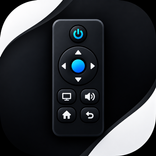
Paketname:com.masterremote
Mehr anzeigen


31.4 MB
Dateigröße
Everyone
Android 7.0+
Android OS
Smart Wi-Fi remote control for Android TV with D-pad, touchpad & keyboard.
Turn your smartphone into the ultimate smart controller with Master Remote for Android TV! Effortlessly navigate, type, stream, and control your Android TV or Google TV device over Wi-Fi with speed and precision.
Say goodbye to lost physical remotes and dead batteries. Master Remote connects seamlessly to your TV over your local network, giving you complete command with an intuitive, modern interface.
KEY FEATURES:
• Multiple Control Modes: Switch easily between D-Pad navigation, smooth Touchpad trackpad, and Number Pad.
• Quick Keyboard Input: Type search queries, passwords, and URLs directly from your phone’s keyboard into your TV.
• Complete Media Controls: Control Volume (Up, Down, Mute), Play, Pause, Rewind, Fast Forward, Skip Tracks, Home, Back, and Menu.
• Auto-Discovery: Automatically scans your local Wi-Fi network to discover Android TV devices in seconds.
• Manual IP Connection: Connect directly using your TV's IP address if automatic discovery is restricted by your router.
• Saved Devices: Fast reconnect to previously paired TVs with a single tap.
• Screen Mirroring & Cast: Easily stream photos, videos, and mirror your device display to the big screen.
• Haptic Feedback: Custom vibration intensity for real physical button press feedback.
• System Light & Dark Themes: Supports crisp Light mode and high-contrast Dark theme.
🔧 EASY SETUP (3 SIMPLE STEPS):
1. Connect both your Android phone and Android TV to the SAME Wi-Fi network.
2. Open Master Remote and tap "Scan" or select your TV from the list.
3. Enter the 6-digit pairing code shown on your TV screen to start controlling!
TROUBLESHOOTING TIPS:
• Ensure both your TV and phone are connected to the exact same Wi-Fi network (and same frequency band, e.g., 2.4GHz or 5GHz).
• Make sure "Network Remote Control" or "Remote & Accessories" permissions are enabled on your TV settings.
• Restart your Wi-Fi router or TV if discovery does not find your device.
--------------------------------------------------
DISCLAIMER:
Master Remote for Android TV is an independent application and is not an official product of Google LLC, Android TV, or any TV brand mentioned. Android TV and Google TV are trademarks of Google LLC. All product names, logos, and brands are property of their respective owners.
--------------------------------------------------
For support, feedback, or inquiries, contact us at: [email protected]



Ein Klick zur Installation von XAPK/APK-Dateien auf Android!

Vielen Dank für Ihre Bewertung und Ihr Feedback!
Sie haben bereits bewertet.