Sichere und schnelle APK-Downloads auf APKPure
Mit APKPure können Sie Sunglass Editor APK einfach und sicher mit Signaturüberprüfung herunterladen.

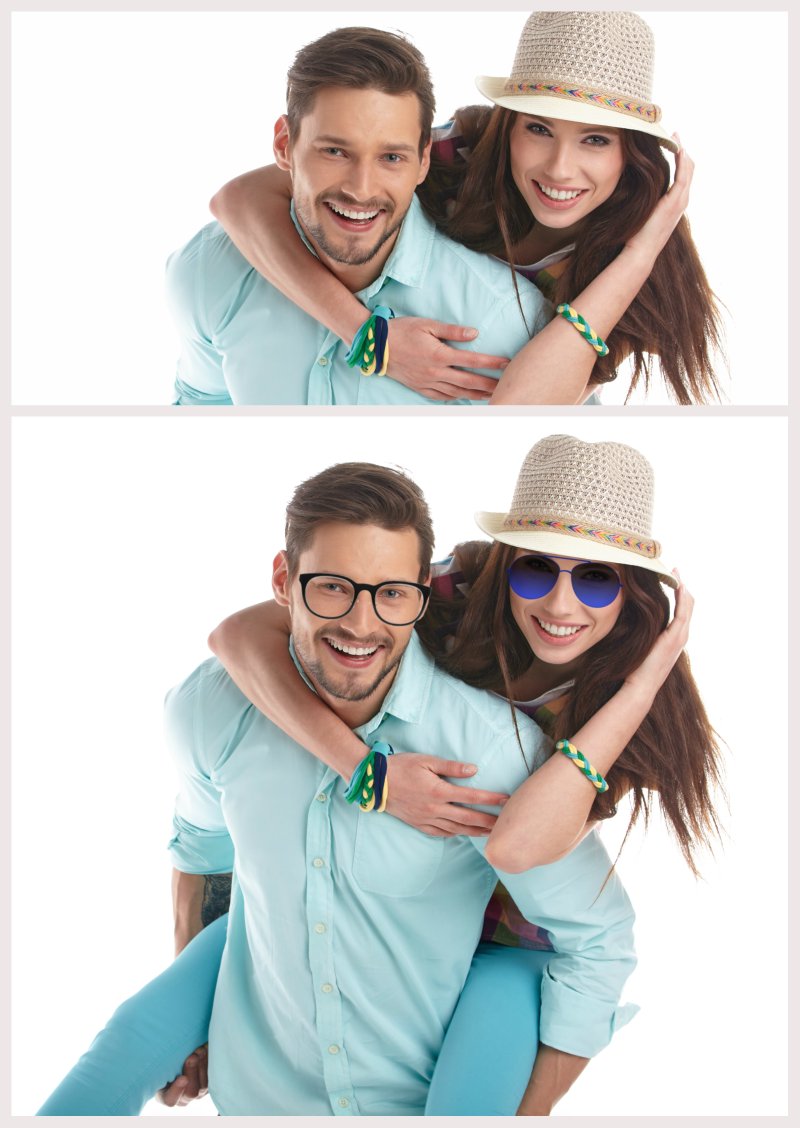
Sunglass-Editor ist für Mann und Frau zu besten Design-Stile der Sonnenbrille verwenden.
Sunglass photo editor has the collection of best designed sumglasses that suits perfectly to any look. It has wide range of collection for both Man and Woman to give amazing touch to their look.
Choose among camera stickers and fashion accessories: retro sunglasses, vintage sunglasses, modern sunglasses, party sunglasses, funny sunglasses and many more colored lens sunglasses!
Easy and fun to use image editing tool and free eyeglass frames!
Edit your selfies like a pro!
Adjust the layer opacity of sunglass as you want.
You can also apply more than 30+ effects to your photos.
More than 20+ color options provided to change the color of any selected sunglass.
Sunglass for man woman kid. The best app in it's catagory. Very easy and smooth to use.










Ein Klick zur Installation von XAPK/APK-Dateien auf Android!

Vielen Dank für Ihre Bewertung und Ihr Feedback!
Sie haben bereits bewertet.