Descargas seguras y rápidas de APK en APKPure
APKPure utiliza verificación de firmas para garantizar descargas de lock my app APK libres de virus para ti.

bloquear mi aplicación le permite extender los controles de acceso de Android para aplicaciones específicas
lock my app are the easiest way for people to have access to your phone without allowing them to dive into areas that you don’t wish them to see. There are quite a few app locks out there and choosing one can be a task. Hopefully, this will help you decide if AppLock is the best protection for you.
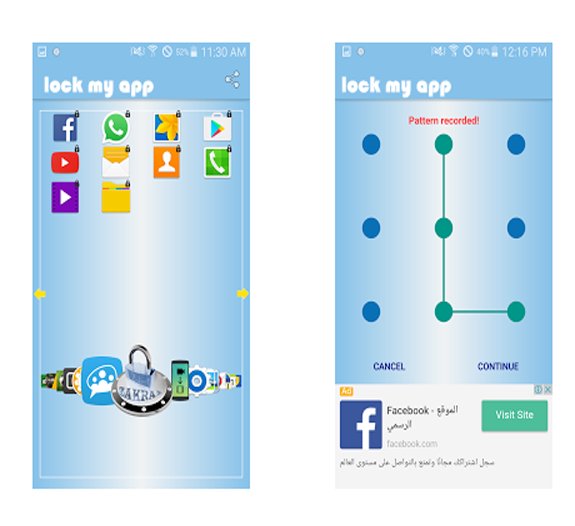
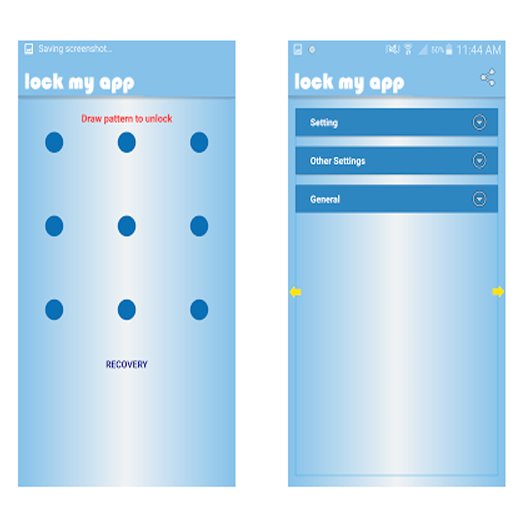
When you open the app for the first time, it prompts you to make a pattern and set up your email. Once you have configured your unlock pattern, you are then carried to the main screen, which lists all the apps you can lock out. Simply click which app you want locked out and it’s secured.
Highlights:
Lock apps individually
Lock photos and videos
Different lock profiles
Time lock
Location lock
lock my app is one of the best security tools you can get from the Play Store. It’s a free app that is rich in features. Like all app locks, it allows you to lock apps individually, but there are couple things I really like about this one.
Randomized Keyoard
Randomized Keyoard
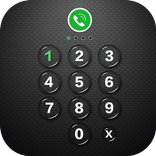
To start off, it does have the pattern lock that I mentioned, however, you can change it to a numeric lock. What’s so special about that? Well, nothing really, except that you have the option to use a randomized numeric keyboard so, even if someone sees a pattern, the numbers will be in a different place the next time. The downside is it makes you really have to pay attention to what numbers you are punching in as you can be easily confused.
Another great feature is setting profiles for different scenarios. You could have profiles for your home, guests, kids, and more. You can customize the profile to only allow people access to certain apps. The best part is you can create home shortcuts that allow you to activate them by clicking and inserting your passcode.
Some other awesome features include the ability to activate those profiles at certain times and locations. So, if you have a work profile, you could set it for clock-in time. Be aware that there is no deactivation time, so it will stay on that profile until your next time lock occurs.
The location lock works off WiFi. When your phone hooks up to certain networks, it locks to the appropriate profile.
Let’s not forget that you can lock your videos and pictures one at a time as well. I don’t use this feature, but it’s always good to have more security at your fingertips.
Other Features:
Security questions
Power-saving mode
Quick lock switch
Themes
While this isn’t all that this app can do, it’s enough to give you a good read into how well this app has you covered.



¡Un clic para instalar archivos XAPK/APK en Android!

¡Gracias por tu valoración y comentarios!
YYa has valorado.