PP Remote

PP Remote

Mads68.dk
24/09/2016
  • 2.3 MB

    Tamaño de archivo

  • Everyone

  • Android 4.0+

    Android OS

Acerca del PP Remote

Control remoto de la presentación de Microsoft PowerPoint.Muy fácil de usar.

PP Remote is an app that you can use to control a PowerPoint slideshow.

By using your phone or tablet as remote control you have full control over your slide show. Speaking notes and slide previews are right in front of you.

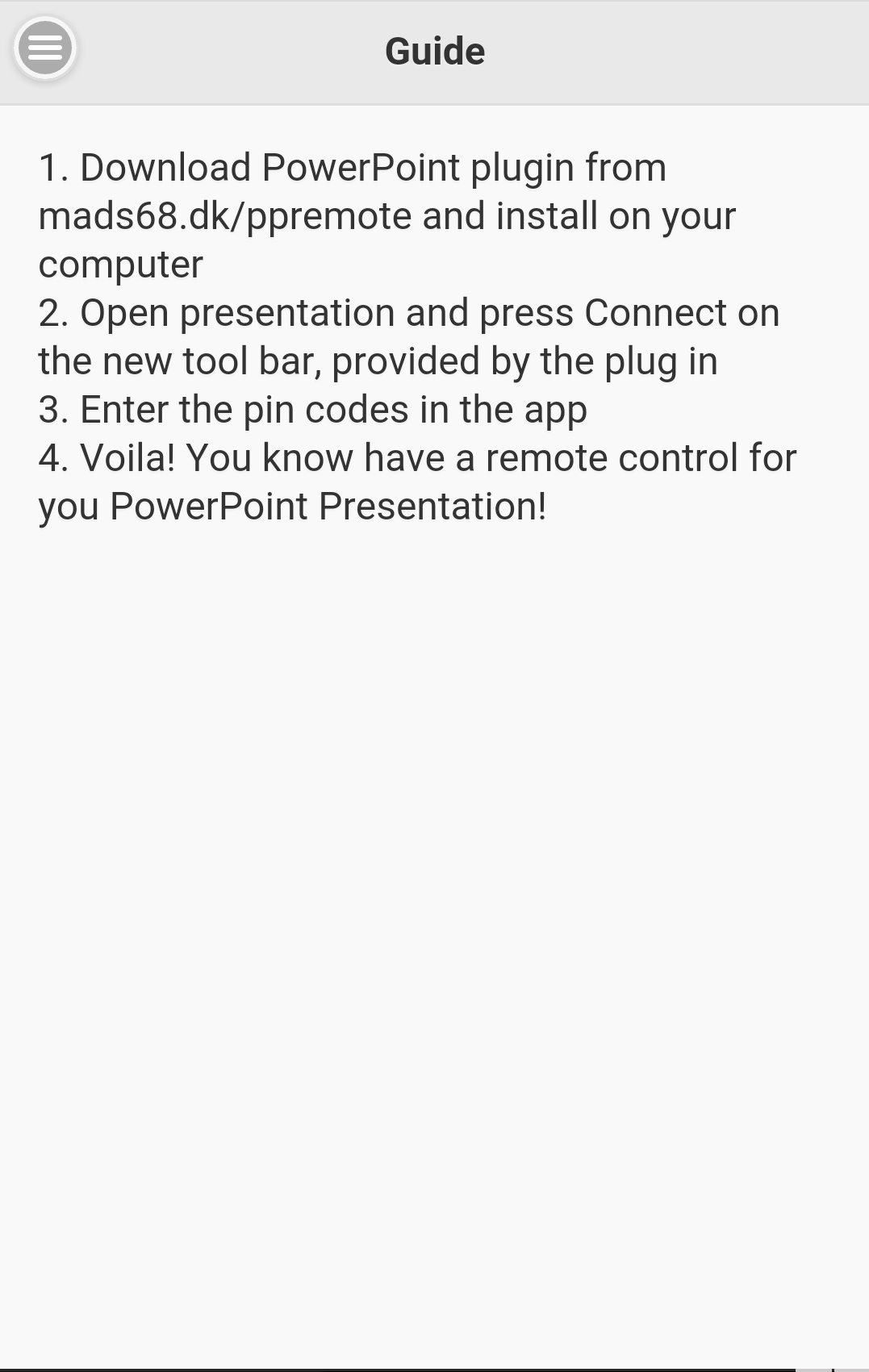
The setup is very simple and user friendly. You install the PowerPoint plugin and open the slideshow you want to control. Hit the connect button in the tool bar and you receive two pin codes.

Open the “PP Remote” app on your phone or tablet. Enter the two pin codes and hit “Log in”.

You are now in control of your slide show without having to handle ip-adresses, blue tooth connections etc. This is a solution that can be used by everybody!

Find and download the PowerPoint plugin from mads68.dk

Mostrar más

Novedades más recientes 1.2.5

Last updated on 2016-09-24
Activate black/white screen on presentation
Go to specific slide in presentation
Layout changes
Bug fixes
Mostrar más

Vídeos y capturas de pantalla

  • PP Remote Poster
  • PP Remote captura de pantalla 1
  • PP Remote captura de pantalla 2
  • PP Remote captura de pantalla 3
  • PP Remote captura de pantalla 4
  • PP Remote captura de pantalla 5
  • PP Remote captura de pantalla 6

Información de PP Remote APK

Última Versión
1.2.5
Categoría
Productividad
Android OS
Android 4.0+
Tamaño de archivo
2.3 MB
Desarrollador
Mads68.dk
Clasificación de contenido
Everyone
Descargas seguras y rápidas de APK en APKPure
APKPure utiliza verificación de firmas para garantizar descargas de PP Remote APK libres de virus para ti.

Versiones Antiguas de PP Remote

2.3 MB24/09/2016
Descargar
APKPure icono

Descarga rápida y segura a través de APKPure App

¡Un clic para instalar archivos XAPK/APK en Android!

Descargar APKPure
thank icon
We use cookies and other technologies on this website to enhance your user experience.
By clicking any link on this page you are giving your consent to our Privacy Policy and Cookies Policy.
Learn More about Policies