
Téléchargements APK sûrs et rapides sur APKPure
APKPure utilise la vérification de la signature pour garantir des téléchargements de KernelSU APK sans virus pour vous.

Get root permissions on Android with this kernel
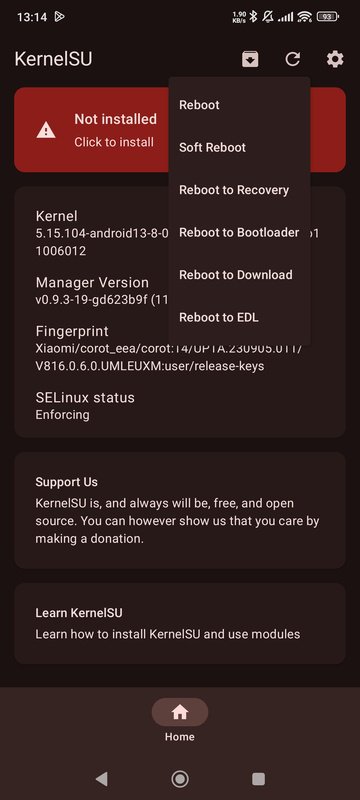
KernelSU is a tool that allows you to get root permissions on Android and manage which apps can access these permissions. To root your Android, you'll need your ROM's init_boot.img file. Once you have it, copy it to your Android device, open KernelSU, and tap on the red "Click to install" button. After that, you'll get a patched file.
Patch and flash the boot partition via Fastboot
That patched file has to be flashed from a computer or from a custom recovery on Android. To flash it from a computer, you can use ADB. In order to flash it using ADB, you have to reboot your device in Fastboot mode first.
Manage which apps have root permissions
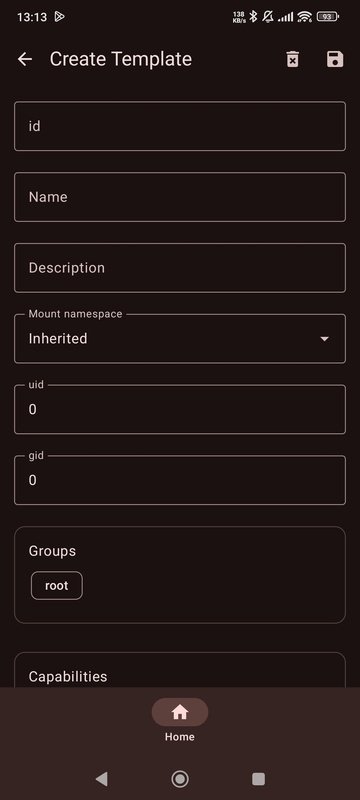
After successfully flashing the file, you can reboot your device, after which you'll have root permissions. With KernelSU, you can manage which apps have access to permissions. Because of the way kernel-based rooting works, the apps won't be able to see whether you've rooted your device. From the app management section of KernelSU, you can decide for yourself which apps have access to superuser permissions. You can also customize the root permissions that each app has access to, as well as the uid, gid, groups, features, and SELinux rules. Finally, you can also add modules.
Download KernelSU's APK to get root permissions on Android in a snap.




Un clic pour installer les fichiers XAPK/APK sur Android!

Merci pour votre note et vos commentaires!
Vous avez déjà évalué.