Téléchargements APK sûrs et rapides sur APKPure
APKPure utilise la vérification de la signature pour garantir des téléchargements de SDS Clock Lite APK sans virus pour vous.

SIXDOTSEVEN COLLECTION. Google Play http://goo.gl/XY5rx Thanks for your reviews.
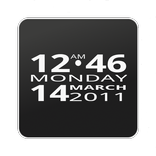
SDS Clock Lite widget. A minimalistic, sleek and well designed home screen digital clock and date widget with size of 4x1. The date is displayed in the selected language.
SDS Clock Lite in action with TREK ENTERPRISE D LIVE WP (Google Play http://goo.gl/ru7dra) on Youtube: http://goo.gl/tP7Qsf
Get the FULL VERSION of SDS Clock with two app launcher for your favorite apps like alarm clock, calendar, or any app you like! and with new font style here on Google Play
FEATURES
* Battery/state of charge show in percent
* Select between two faces streched and no streched
* Color and transparency of the widget background
* Color of font
* Show drop shadow
* New Light Font Style (only FULL version)
* 2 x App Launcher (only FULL version)
PLEASE NOTE, IMPORTANT
* This is a homescreen widget and not a regular application: It does not "run" from the Applications Drawer, in fact you won't even find its icon there, when the install completes.
* If you're using killer apps, add the service SDSClockService to the ignore list.
* Depending on your device and the amount of installed application it can take some time before you will see the configuration page, be patient.
INSTALLATION (to put the widget on your homescreen)
* Long press empty space
* Select Widgets
* Select SDS Clock
ADVICE
* Changing settings made easy.
If you want to change a setting afterwards, just put the Clock in the Trash and reload it again.
The configuration screen pops up and all previous setting are in place. Change your settings and press OK. That's it.
OPEN SOURCE NOTE
SDS Clock use the library color-picker-view. This library is licensed under Apache License 2.0, honor and thanks go to Daniel Nilsson and Sergey Margaritov. You will find the code under http://code.google.com/p/color-picker-view/ or send an email to opensource-cpv(at)sixdotseven.com.
Thanks for your comments and also check out other great and best clock widgets by sixdotseven, here on the market!



Un clic pour installer les fichiers XAPK/APK sur Android!

Merci pour votre note et vos commentaires!
Vous avez déjà évalué.