Téléchargements APK sûrs et rapides sur APKPure
APKPure utilise la vérification de la signature pour garantir des téléchargements de Sideshare: Multi-task on call APK sans virus pour vous.


13.0 MB
Taille de fichier
Everyone
Android 4.4+
Android OS
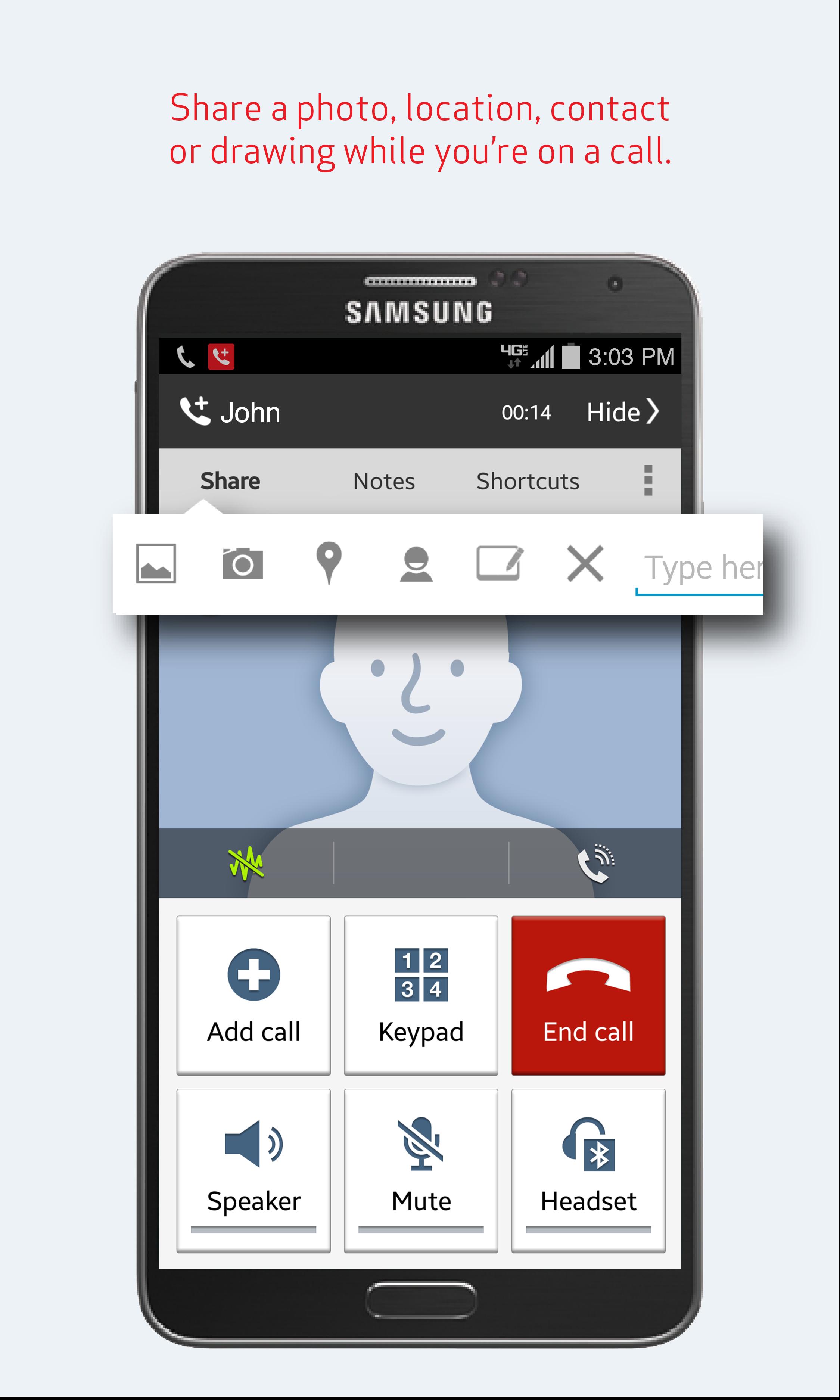
Sideshare saves time and makes it easy to share while on a call. Quickly and easily send photos, texts, take notes, or collaborate using the NEW Whiteboard feature – all without interrupting your call. Use shortcuts to your favorite apps without leaving the conversation. Setup is easy. Just download and open the app – the Sideshare icon and features will start showing up with your next call. Sideshare uses standard messaging to share your photos, text, whiteboard feature and so no need to worry about whether or not the other caller has the app installed.
How does Sideshare help?
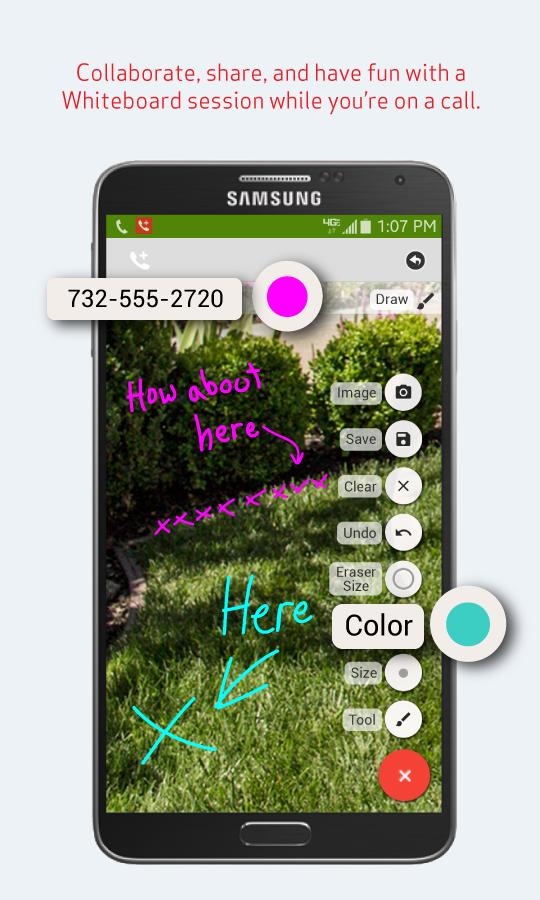
- New! Collaborate with Whiteboard from the call screen – “design a new backyard with a client”, “discuss a math problem”, “jot on a photo for fun with a friend”, or “brainstorm a business idea with a colleague.”
*Quick and Simple: During a call, create a new whiteboard in a couple of seconds with a single click
*No Setup: Your friend/customer will get a SMS with a link to click on to open up the browser. If the user has Sideshare, they can open it directly from Sideshare
*Works Everywhere: The whiteboard link can be opened in newer Safari, IE, Chrome browsers on PC/MAC, Android, iphone and ipad. An active data connection will be needed
*Range of Tools: Pens with different color and size, eraser, load/take pictures from the phone are available. Laser pointer to get your friend/client’s attention to where you are pointing to is an added tool. We are continuing to add more useful features
*After Call: Whiteboard session will only expire 24 hours after it starts, you will have plenty of time to continue where you left off
*Easy Share: Save your work as an image in your phone’s gallery anytime and share with your favorite applications later (email, Facebook, messaging apps etc.)
- Send photos from your gallery or take a picture and share: “Did you see my new shirt?”
- Send a quick text from the call screen: “What’s the PIN again?”
- Share contact information from your address book: “Do you have John’s phone number?”
- Quickly show your location: “I’m already at the coffee shop.”
- Launch your calendar, browser or other apps of your choosing right from the call screen: “Let me check my schedule.”
- Add notes before, during, or after any call: “Appointment with Brian at 10.”
- Add Emoji to your messages
- Easily access contact list, call history, messages, and notes for your most frequent contacts from the app
- Make calls, send messages, and add notes right from your contact list
- Uses standard SMS/MMS to reach any mobile number
Messaging charges may apply per your price plan.




Un clic pour installer les fichiers XAPK/APK sur Android!

Merci pour votre note et vos commentaires!
Vous avez déjà évalué.