Unduh APK dengan Aman dan Cepat di APKPure
APKPure menggunakan verifikasi tanda tangan untuk memastikan unduhan APK Remote Camera yang bebas dari virus untuk Anda.

Kamera menembak dengan SMS, gambar dapat diserahkan ke Google Photo otomatis.
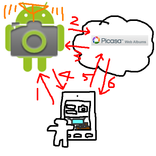
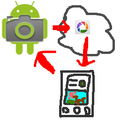
You can shoot with this camera remotely. For example, you keep one of your device at your home, then you can view your home from another device in which the app "remote camera client" was installed.
Please install this "remote camera" to a device used as camera, and install "remote camera client" to a device used as remote controller.
This app use picasa web album to send picture, so you have to have google account.
SMS message is used to control camera, and Internet connection is required to upload the picture and get the picture. I recommend you to use mobile network as Internet connection on camera side, because WiFi connection might be unstable when device was waken up after sleep and cause some error.
How to use.
1. Register your google account to your device.
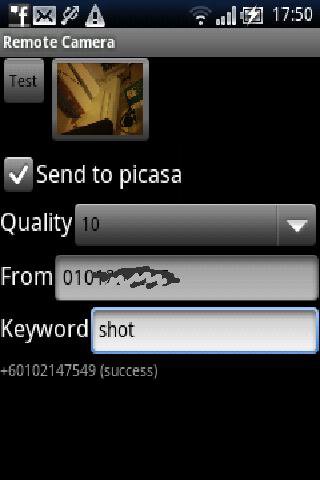
2. Fill [From] with the phone number of device you use as controller. If specified, this app wil not reply incoming SMS message except that from this number. Do NOT contain '-' between phone number.
3. Fill [Keyword] with some words if you want. If specified, this app will not reply to the message without this keyword.
4. Check [Send to picase] button, then you will have direction to select google account to use for uploading the picture taken. If not checked, the picture will not send to picasa, the picture taken will be just stored in the device.
5. Choose [Quality]. If this number is small, the quality of the picture is poor but the size of data consumed to send the picture can be smaller.
6. Click [Test] button to check if the picture would be taken and send to picasa.
7. You can click the thumbnail to open picture taken with this app.


Sekali klik untuk menginstal file XAPK/APK di Android!

Terima kasih atas peringkat dan umpan balik Anda!
Anda sudah menilai.