Download APK sicuri e veloci su APKPure
APKPure utilizza la verifica delle firme per garantire download di APK Second screen mirroring Link senza virus per te.

Wifi Screen Flow Mirror
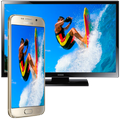
Easy to use, just choose your media and press to play, one step to play it on your TV!
At any time and anywhere, from any device - have fun with friends and family - with TV Assist on your phone, you can play your favorite photos, videos and music as you like, Like a TV nearby. Moments with everyone to see and hear !!!!!
TV Assist can also browse the media on other DLNA devices and play them on your TV or other DLNA device!!!!
Wifi Screen Flow Mirror - Screen Flow Mirror
TV support can work as a multimedia receiver (rendering), it can also receive media played from other DLNA devices, for example, another iPhone / iPad that works with TV Assist !!!!!!
Wifi Screen Flow Mirror
Able to play videos, music, photos, etc. In my smartphone with any device (smartphone, smartTV, laptop, tablet, etc.).
This application can only play content but send a screen such as HDMI, MHL, Miracast and Chromecast.
It does not need any dongle or extra cable. Click "Start," the Mobile hotspot will run automatically. And after the hotspot is up and running, connect to the AP from other devices.
From now on, play video, music and photo in real time without copying !!
* The application also allows banner ads at the bottom of the screen.
You still want to have an extra screen for your Windows computer? There's an application for that.
With Air Duet Screen, you can use your Android screen as a wireless screen to extend your desktop.
In order for Air Duet Screen to work, your computer and Android device must be connected to the same Wi-Fi network.
As a wireless screen, Air Duet Screen works in two ways:
(1) Expand your computer screen to a second screen, or
(2) Move the special application to your Android screen.
* It will be faster and smooth on Windows 8 because we have been using better Desktop Duplication Interface algorithm.
* Preparing the environment is very simple.
Present:
The performance of Air Duet Screen is extremely reactive, using a unique dynamic compression algorithm.
On a typical Wi-Fi network, refreshments on the mouse cursor can not be distinguished from a wired mouse.
Air Duet Screen makes a laptop much more useful by increasing its usable screen size.
Air Duet Screen not only gives you a wireless screen extender, but also works as a tablet input device.
You can use your finger to draw directly on the surface of the screen. Try it with a calculator, a painting tool or a music control surface.
Simple gestures allow you to use the right mouse button and the scroll wheel. When you rotate the screen, or log out and reconnect.
Your windows are automatically repositioned appropriately, so you do not have to return them to the Android screen.
Some great uses for Air Screen include:
- Fill your Duet screen with your utility applications such as mail, file manager and calculator.
Wifi Screen Flow Mirror



Basta un clic per installare i file XAPK/APK su Android!

Grazie per la tua valutazione e feedback!
Hai già valutato.