Download APK sicuri e veloci su APKPure
APKPure utilizza la verifica delle firme per garantire download di APK Secret Lock Screen 2017 senza virus per te.

Get free Smart Lock Screen with Summer Themes. Passcode lock Screen,DIY themes.
Customize your lock screen wallpaper with Secret Lock screen!
passcode lock screen (keypad or PIN)
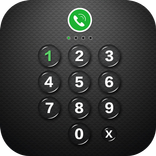
Secret lock screen is made with Passcode Lock Screen like iOS Style.
The best lock screen application.
Would you like to have the most beautiful and Secret lock screen and be the envy of all of your friends?
You have to just enable pin lock in settings in this application and create own password for unlock phone screen.
With Secret Lock screen, you will be able to personalize your lock screen with artworks and designer themes. You won't believe your eyes!
Tons of unique designs and wallpaper themes for your Lock and Home screen.
The best lock screen application, to help you protect your privacy, prevent others trying to access your phone illegally.
Features:-
1. Lock Screen Wallpaper:- Wonderful Lock Screen Wallpaper to redecorate your Android devices’ launcher.
2. DIY Lock Screen:- We've added DIY Locker Themes. Via DIY Locker Themes you can customize your themes with a pic of yours.
3. New UI:- New UI allows you to navigate Lock Screen or Screen Lock with ease.
Main Features:
- iOS style to Slide to unlock.
- Enter a 4 Digit pin to unlock.
- A large number of backgrounds.
- A large number of stylish design elements for your backgrounds.
- A lot of beautiful wallpapers to choose for your Secret a Lock Screen.
Themes used in lock screen
-Summer Theme
-Winter Theme
-DIY Lock Theme
-Passcode Theme
-Love Photo Theme
-Festival Theme
-Girly Lock Theme
-Sports Theme
-Firefly Theme
-PIP Lock Screen Theme & more 50 themes used in the app.
HOW TO USE :- You’ll find a toggle that allows you to enable or disable the tweak and a ‘Choose Images’ button which will take you to a new interface where you can add a photo to each of the passcode buttons from the stock Photos app or even take a picture instantly and use it. These images will appear right behind the keys as you can see from the screenshot above.
Steps to Use Passcode/Secret Lock Screen:-
* Select from a wide range of inbuilt backgrounds.
* Choose from 6 different themes including Hearts, Shells and Circles.
* Choose the photo from gallery or click a new photo.
* Crop or re-size the photo you choose to have included.
* Choose to lock your phone under pin protection.
* Lock screen on/off toggle switches
* Totally FREE!!



Basta un clic per installare i file XAPK/APK su Android!

Grazie per la tua valutazione e feedback!
Hai già valutato.