APKPure에서 안전하고 빠른 APK 다운로드
APKPure는 바이러스 없는 Analog APK 다운로드를 위해 서명 확인을 사용합니다.

Watch face for Wear Os
INSTALLATION NOTES:
Make sure the watch is properly connected to the phone, open Companion App on phone and tap on "INSTALL APP ON WEAR DEVICE" and follow instructions on watch.
After a few minutes the watch face will transferred on watch : check the watch faces installed by the Wearable app on the phone.
Note: If you stuck at payment loop, DON'T WORRY, only one charge will be made even if you are asked to pay a second time. Wait 10 minutes or restart your watch and try again.
If you are having synchronization problems between your phone and Play Store, install the app directly from watch:
Please consider that any issues on this side are NOT developer dependent. The developer has no control over the Play Store from this side. Thank you.
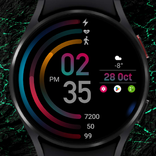
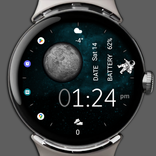
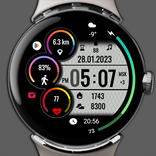
Analog minimalist watch face
-Displays analog time
-Displays battery charge
-Displays steps
To change the color and select add-ons, press and hold the dial, then press settings, select the desired color or add-on


등급과 피드백에 감사드립니다!
당신은 이미 평가했습니다.