APKPure에서 안전하고 빠른 APK 다운로드
APKPure는 바이러스 없는 Polydia Diagram Editor APK 다운로드를 위해 서명 확인을 사용합니다.

스타일도. 안드로이드 용으로 설계된 사용하기 쉬운, 아름다운 다이어그램 편집기.
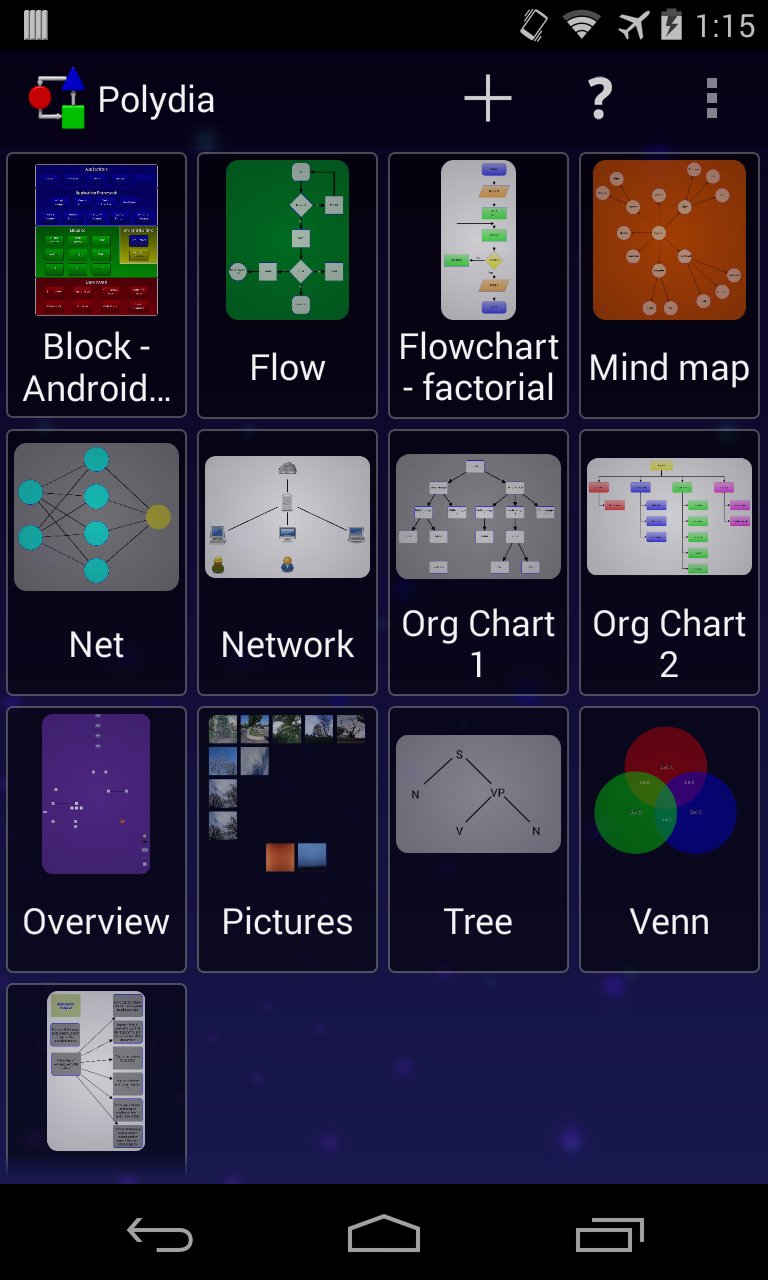
Polydia is a style-based diagram editor for Android. It is a general purpose tool and can be used for many types of diagrams and graphs including: flow-charts, mind maps, block diagrams, org-charts, network diagrams, web site maps, Venn diagrams, data flow diagrams, and others for business and personal diagramming needs. For those who have used Visio or OmniGraffle on a PC, Polydia provides similar capabilities with an easy to use interface designed for mobile devices.
The primary goals driving the design of Polydia are to:
- Provide a highly dynamic and interactive user interface which helps you get things done quickly.
- Keep tablets in mind from the very beginning while still providing the best possible experience when running on a phone. (The promotional video shows Polydia in action on a tablet.)
-Take advantage of recent releases of Android hardware and software.
Features include:
- Thumbnail-based launch screen that visually helps you find the document you're looking for
- A variety of shapes including: square / rectangle / diamond, circle / ellipse, triangle, pentagon, hexagon, octagon and other common diagram shapes
- Shapes that can be filled and/or stroked
- Filled and stroked connectors with multiple routing options
- Images from your gallery can be imported for use as fills and paints
- Linear and radial gradient fills
- Most properties of your shapes and connectors can be changed
- A diagram of virtually unlimited size can be zoomed and panned
- Font support includes variable sizes, bold / italic / underline / strikethrough, text shadows, horizontal and vertical alignment
- PNG and SVG export are supported (if you have apps supporting either, Polydia can share with them)
- Innovative color picker allowing the use of transparency just about anywhere
- Basic painting (using photos / pictures imported from your gallery) and drawing (using styles) capabilities
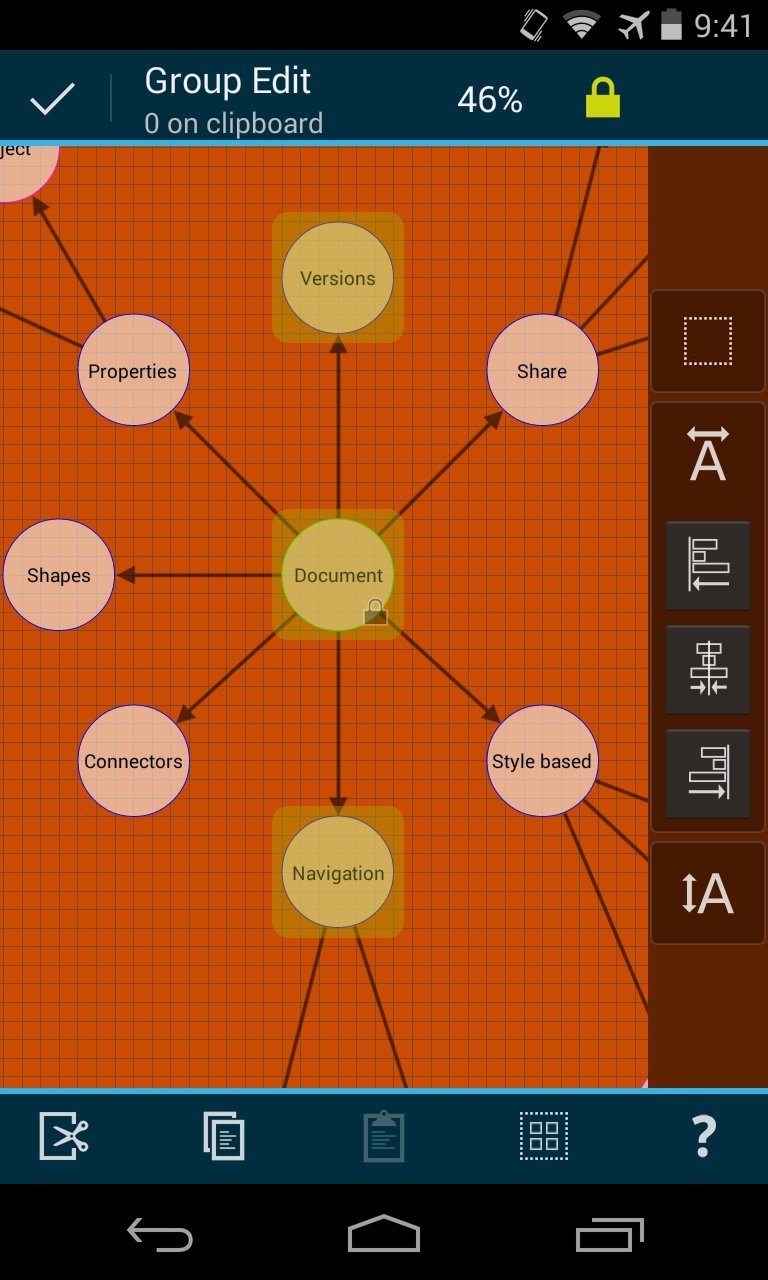
- 'Group edit' mode for selecting multiple objects allowing for cut/copy/paste, movement, alignment, as well as locking and unlocking shapes
- 'Quick edit' mode for fast entry of text labels for new or existing objects without constant dialog pop-ups required. A real time saver when working on a phone.
Diagram templates currently supplied:
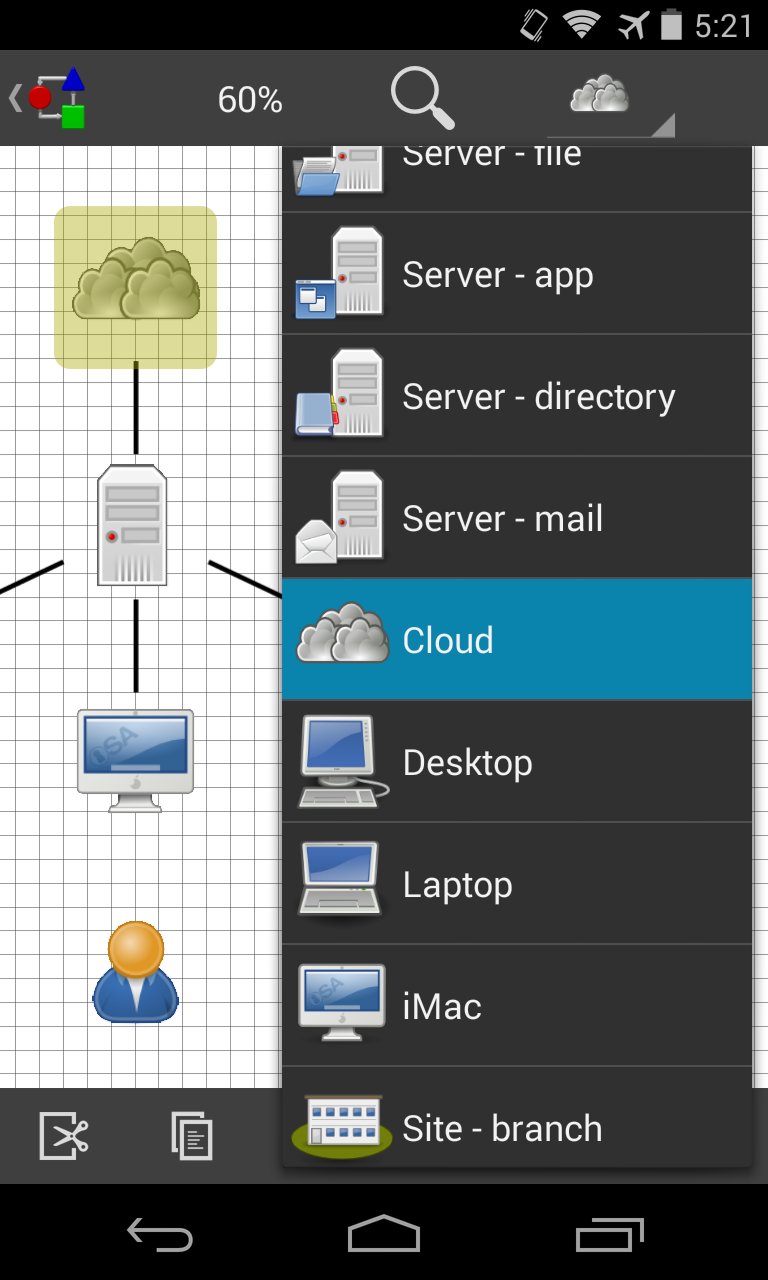
Style templates: block, empty, flowchart, mind map, network & computers (2 different icon sets), org chart, BPMN
Structural templates: Venn diagrams (4 types for 2 or 3 sets in color or black and white), Euler diagram (4 sets), Euler (6 set subsets), Pyramid
The main difference between structural and style templates is that structural templates provide a simple 'diagram maker' functionality where part of the diagram is pre-built where appropriate.
For support, please go to Overflow menu -> About -> Feedback and email your questions... the account is monitored and requests replied to. Answering support questions in the Play store is difficult due to replies being limited to 350 characters.
Requires Ice Cream Sandwich (4.0.3) or greater.




등급과 피드백에 감사드립니다!
당신은 이미 평가했습니다.