Muat turun APK Selamat & Cepat di APKPure
APKPure menggunakan pengesahan tandatangan untuk memastikan muat turun APK File Manager Pro tanpa virus untuk anda.


Everyone
4.0.3 and up
Android OS
Free, Safe, Simple, Manage your files efficiently and easily with File Manager
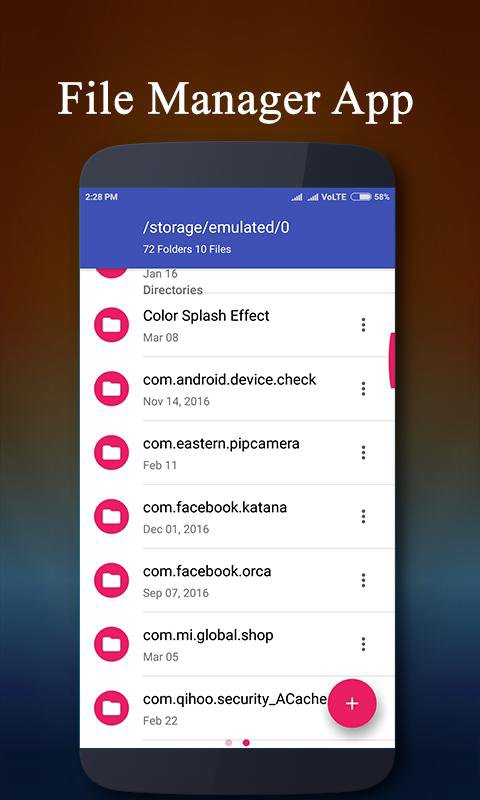
File Manager helps you manage files of all sizes and formats efficiently and easily!
File Manager Pro is easy and powerful file explorer for Android devices. It’s free, fast and full-featured. Because of its simple UI, it’s extremely easy to use. With File Manager Pro, you can easily manage your files and folders in your device and cloud storages like Google Drive.
Highlights of File Manager HD :-
- Wi-Fi File transfer: Use your PC to wirelessly edit your mobile files using FTP.
- File Search: The optimized search engine of file explorer will find file in internal storage and SD card in 1 second. And users can browse files by category, e.g. image, music, video, apps, etc.
- Private & Safe : This free file manager and explorer provides 100% local file management. Therefore there is no risk of any file leak. Your files and information are completely safe.
- Super convenient:View files by type (image, audio, video, recent, download etc.), use a widget to access folders in one tap from the homescreen.
- Applications manager: Manage and back up your installed Android apps and games, share them with friends, or free up some memory by uninstalling old software.
- Your smart file explorer: Search, open, rename, move, delete, or share files that are stored in your device's internal storage, microSD card, or cloud storage accounts. Use the beautiful built-in image gallery to quickly browse your pictures, including animated GIF.
You can manage local and remote/cloud storage. It support every file explorer actions (open, search, navigate directory, copy and paste, cut, delete, rename, compress, decompress, transfer, download, bookmark, organize). File Manager Plus supports media files and major file formats including apk.
Major locations and functions of File Manager Plus are as following:
• Main Storage: You can manage all files and folders in your local device storage.
• SD Card: You can manage all file folders and files in your SD Card.
• Downloads: You manage all files (including apk and zip files) in download folder.
• Images: You can manage image and picture files in your storages. Image preview is available. (Supported file formats: bmp, gif, jpg, png and etc)
• Audios: You can manage all music and sound related files. (Supported file formats: mp3, ogg, flac, m4p, wav, wma and etc)
• Videos: You can manage all video files in your device. (Supported file formats: asf, avi, flv, mp4, mpeg, wmv and etc)
• Documents: You can manage all document files in your device. (Supported file formats: doc, ppt, pdf, and etc)
• Apps: You can see all applications installed in your local device. You can stop or delete apps. You can delete data or cash of apps. You can backup your app as apk file also.
• New Files: You can manage new files moved and downloaded to your local device.
• Cloud: You can access your cloud storage such as dropbox, google drive and OneDrive.
• Remote: You can access remote or shared storage like NAS and FTP server.
• Access from PC; You can access your android device storage from PC to manage all files and folders in your local android device using FTP(File Transfer Protocol).
• Storage analysis : You can analyze local storages to clean up useless files. You can find out which files take up the most space.






Satu klik untuk memasang fail XAPK/APK pada Android!

Terima kasih atas penilaian dan maklum balas anda!
Anda sudah dinilai.