Veilige en snelle APK Downloads op APKPure
APKPure gebruikt handtekeningverificatie om virusvrije PIP Camera Effect Editor APK downloads voor u te garanderen.

PIP Camera sets your photo in another photo frame with some creative frames.
Wel-Come to PIP Camera Effect – Editor App in Android Market…
PIP Camera sets your photo in another photo frame with some creative frames. Easily making your photo more stunning than other photo frames.
PIP Camera is a spinoff of FotoRus popular Pic-in-Pic mode, and it is more powerful and more fun with the addition of the new PIP Frames mode and PIP magazine Collage mode.
Everyone capture Photos to keep special movement of our life and we always do editing to make them more beautiful and to keep them with frames and gorgeous effects.
The PIP Photo Effect is a useful and creative photo frame app used to frame your photos in PIP mode. We can make a photo taking, it as background as well as that photo in any frame or shape. This is best pip mode app.
PIP Camera Effect is the most popular photo editor application for selfie photos!
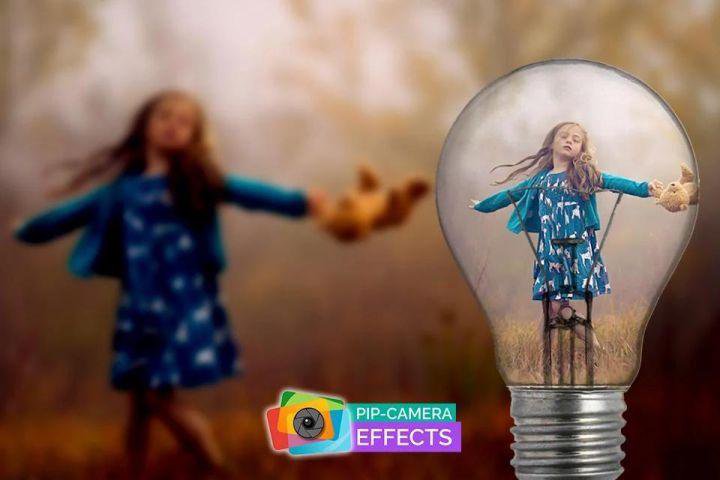
PIP Camera with amazing PIP photo effects where you can combine your blurred photo and creative PIP photo frame.
PIP Camera app allows you to make your PIP photo in glass, hand, camera, board and more.
PIP Camera is best way to create creative PIP photos with blurred background.
PIP Camera is the best free alternative for popular applications such as PIP Camera Effects and Funny Photo Effects.
Top App Feature:
Import photos from gallery or take from camera. You can choose existing photos in gallery by using the default gallery, or just capture in Camera mode. You can also use the default camera, or any of the camera app, then import.
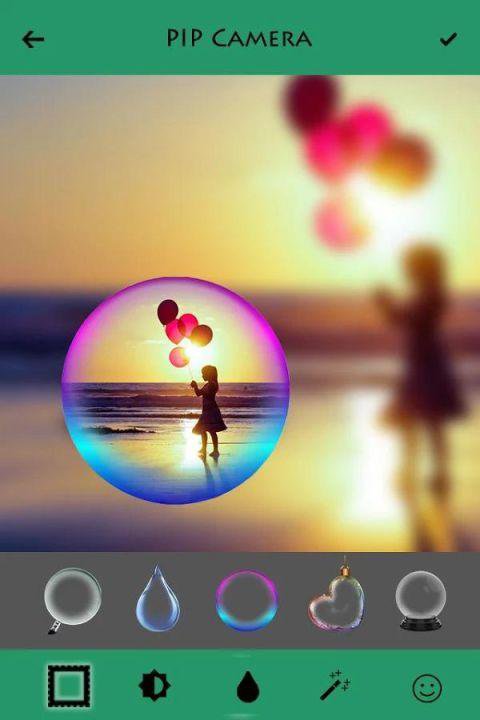
Numbers photo in photo frames with different shape and style to make your photos in glass, hand, camera, board…Just apply the theme that you like.
The Photo in Photo blurs automatically, and the filters for background and foreground in Classic mode both can be changed.
More than 100+ collage frames. The background also blur automatically. Collage your photos with awesome magazine layouts and frames to be the popular guy on the magazine cover. (categories are . . Simple , Bottle , Love , Flower , Frame , Magazine , Classic , Digital , Shape. )
More than 20 photo filters for decorating your photos.
Many stickers are available which really beautiful.
You can change background and foreground image.
You can write your name on image with different font style and color.
Easily share the photo on Instagram, Twitter and Face book to wow your friends and share this wonderful PIP Camera effect - editor app.
Set Blur Effect to your PIP Image in percentage.
Also you can adjust every photo aspect using PIP Camera application.
★ Lot of customized magic mirror effects.
★ Brightness
★ Contrast
★ Saturation
★ Blur
★ Temperature
★ Shadows/Highlights
★ Crop
★ Focus
Thank you…










Eén klik om XAPK/APK-bestanden op Android te installeren!

Bedankt voor je beoordeling en feedback!
Je hebt al beoordeeld.