ดาวน์โหลด APK ได้อย่างปลอดภัยและรวดเร็วบน APKPure
APKPure ใช้การตรวจสอบลายเซ็นเพื่อประกันการดาวน์โหลด APK ของ Keyboard Retro ที่ปลอดไวรัสสำหรับคุณ

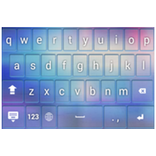
Enjoy this awesome Retro theme.
How to install a Keyboard Plus theme?
Just follow these easy steps:
1. Download Keyboard Retro from Google Play Store
2. Open the Keyboard Retro
3. Apply the theme by pressing the - Activate - button from the Keyboard Plus Theme Manager
If you want to change your font size just go to the Quick Settings Tab and choose from one of the 3 available sizes: small, medium or large.
This Keyboard Plus theme uses a free Google Font available here: http://www.google.com/fonts/specimen/Lily+Script+One
All the Keyboard Plus themes come with a matching font that will be displayed automatically.
New Layouts with translations coming soon.
We are looking forward for your feedback so don't hesitate to contact us for any suggestions or other issues that you may have at the following address: [email protected]
Some things never go out of style so why not add a retro look to your favorite gadgets to make them look special and cute. Get the awesome Keyboard Retro theme and enjoy a really special and beautiful look, that will remind you of the good old days. If you are feeling nostalgic and you often drift into the past, wishing you could live in another era, then this theme is perfect for you. Wear something retro and show off your good taste when it comes to fashion. Download this delightful Keyboard Retro theme, you will love it.



คลิกเพียงครั้งเดียวเพื่อติดตั้งไฟล์ XAPK/APK บน Android!

ขอบคุณสำหรับการให้คะแนนและข้อเสนอแนะของคุณ!
คุณได้ให้คะแนนแล้ว