ดาวน์โหลด APK ได้อย่างปลอดภัยและรวดเร็วบน APKPure
APKPure ใช้การตรวจสอบลายเซ็นเพื่อประกันการดาวน์โหลด APK ของ Multiplication Using Calculator Lite version ที่ปลอดไวรัสสำหรับคุณ


Everyone
5.0 and up
Android OS
โปรแกรมนี้มีคำสั่งตัวเลขที่ไม่สมบูรณ์ที่ด้านบนของหน้าจอ
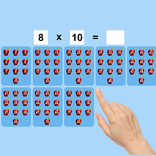
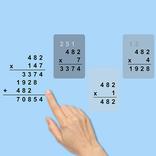
In this program there is an incomplete number statement (for instance, 3 x 9 = ) at the top of the screen. There is also a calculator in the lower part of the screen. The student should click on the numbers and symbols shown in the number statement. If the student clicks on the calculator keys correctly, the complete number statement (3 x 9 = 27) will appear at the top of the screen.
Setting
Single Digit Multiplication
This multiplies single-digit numbers.
Double Digit Multiplication
This multiplies double-digit numbers.
Single and Double Digit Multiplication
This multiplies single- and double-digit numbers.
Sound
When this is selected the program voice will guide the student.
Show Number
When this is selected the calculator display will show only the number that the student has clicked.
Show Number Statement
When this is selected the calculator display will show the numbers and symbol in the number statement





คลิกเพียงครั้งเดียวเพื่อติดตั้งไฟล์ XAPK/APK บน Android!

ขอบคุณสำหรับการให้คะแนนและข้อเสนอแนะของคุณ!
คุณได้ให้คะแนนแล้ว