ดาวน์โหลด APK ได้อย่างปลอดภัยและรวดเร็วบน APKPure
APKPure ใช้การตรวจสอบลายเซ็นเพื่อประกันการดาวน์โหลด APK ของ Stop Disc Tool ที่ปลอดไวรัสสำหรับคุณ

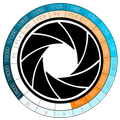
คำนวณอัตราส่วนระหว่างรูรับแสง (F-Stop) และเวลาการเปิดรับแสง (ความเร็วชัตเตอร์)
It's a tool for calculate the ratio between aperture (F-Stop) and exposure time (Shutter Speed) in Computer Graphics when using a physical camera (like Vray and other's rendering engine) or in Photography.
How To:
Click on the left or the right Stop-Disc's side until matching the F-stop values and the Shutter Speed you have previously set in your camera, or physical camera if you used a rendering engine.
Up to this point, you will get all the matching values on the Stop-Disc.
Choose the new F-Stop value on the Stop-Disc.
You will get the matching Shutter Speed value needed to get the same camera esposition's starting setting.
It's very useful if you want to get the F-Stop value in order to increase the Depth of Field.



คลิกเพียงครั้งเดียวเพื่อติดตั้งไฟล์ XAPK/APK บน Android!

ขอบคุณสำหรับการให้คะแนนและข้อเสนอแนะของคุณ!
คุณได้ให้คะแนนแล้ว