ดาวน์โหลด APK ได้อย่างปลอดภัยและรวดเร็วบน APKPure
APKPure ใช้การตรวจสอบลายเซ็นเพื่อประกันการดาวน์โหลด APK ของ z HD Endoscope & USB camera for Android (2019) ที่ปลอดไวรัสสำหรับคุณ

26.7 MB
ขนาดไฟล์
Everyone
Android 4.0+
Android OS
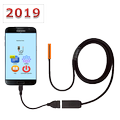
HD Endoscope & USB camera. Saves as video files as photos
This is the next generation (2019) application.
It allows you to connect to your gadget an external USB-camera or any USB-endoscope with HD image quality.
Software functionality also includes capturing video files (as well as photos) from these cameras and automatically sending them to Google Drive, YouTube, Email.
To use this app please check:
1) Your gadget has OTG USB feature
2) Your USB camera can operate in Android system
Video recording modes:
- when you press the button on the screen
- by motion detector
- by the sound detector (you can just shout)
- by the smoke detector
- constantly
Main tips:
• Can connect wide variety of USB cameras to the gadget
• Can connect android endoscopes to the gadget
• Can save as photos as video files recorded from the cameras
• Languages: English, Spanish, Chinese, German, French, Italian, Russian
Follow the video instruction "How to connect an endoscope (USB camera) to smartphone":
https://youtu.be/s8AduuU6xC4
PERMISSIONS
The app can perform actions for which it is necessary to obtain permissions from the user. For example:
1) The app can use the camera to record video
2) The app can record multimedia video files in a separate folder (archive)
3) The app can use a microphone to record sound
To function normally, the app must obtain permissions from the user to perform these actions. This is done at the moment when the corresponding dialog box appears in front of the user. In this window, the system asks the user whether it is possible to give the permission to do something (for example, use a camera or microphone).



คลิกเพียงครั้งเดียวเพื่อติดตั้งไฟล์ XAPK/APK บน Android!

ขอบคุณสำหรับการให้คะแนนและข้อเสนอแนะของคุณ!
คุณได้ให้คะแนนแล้ว