Güvenli ve Hızlı APK İndirmeleri APKPure'de
APKPure, virüssüz Space Machine (SD as Internal) APK indirmelerini sağlamak için imza doğrulaması kullanır.

Turn your SD Card into Portable OS and Run apps directly from SD Card.
Hey there Lollipop!
Slowly but steadily improving but app still in beta-stage, without your help, its impossible to make it completely stable. If things go wrong, please share the logs. The App so far not found working against "Lollipop" Versions 5.0.x (but works with 4.4, 5.1, 6.0) Join the G+ & wait for stable announcement for 5.0 and you are most welcome to help with testing.
Rooted app that allows you to run Mobile from Removal SD Card. This app is the only app that supports running mobile apps directly from SDCard. It allows you to carry the SDCard and insert into similar Rooted mobile and continue using your apps, contacts, photos, mails just like the original. You can use multiple SDCard to provide different profiles and app views on same Mobile which allows you to customize or hide apps based on the needs. You will have Increased Internal Storage depending on SDCard size.
Requirements:
• Root permission with SuperSu app.
• Empty SDCard.
• Please make a backup of all critical data .
Free Features:
• Ad free - No ads, I hate them too!
• Use upto 6GB SDCard data as Flexible Space.
• Use upto 6GB SDCard data as Portable Space.
• Auto boot into SD Card at Boot-time.
• User Guide with Screenshots.
• Three different options to configure the SD Card.
After an In-app purchase you can:
• Use the whole SDCard as Flexible Space.
• Use the whole SDCard as Portable Space.
Request for Logs:
• There may be some rough edges with this new concept. Please report them via in-app bug option or share them on 'Lonely Root' . This will hugely help the development process.
Limitations:
• It's less secure. You need to be extremely careful about using sensitive data on SD Card. Please never make a purchase or payment while running from SD Card.
• Performance will be slower than original, unless you have high-speed SD Card.
• Some apps may need one-time re-configuration before running from SD Card.
Usage Tips:
• If you get format failed error, please check and un-mount SD Card and re-try.
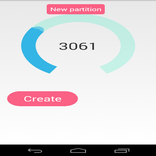
• It may take upto 20 minutes to clone 10GB of data, please wait. As long as you see number changing, its in-progress.
• Adjust your device sleep time to 30 minutes during cloning process.
Flexible Space:
• Mobile will be cloned to SDCard. This will replace SD Card files. This allows you to ensure SD Card data is up-to-date with original Mobile.
Portable Space:
• One can insert the SD Card to similar Rooted mobiles start using apps. There is no Mobile clone done with Portable Space.
Please a take minute to read below polices:
Download policy:
• Please remember this app works only with root permission/rooted phones. If you don't know about rooted apps, then most likely this app will not work on your mobile. Please save your bandwidth :-)
Purchase policy:
• This app mayn't work with certain devices. I would highly recommend you to play with free version and ensure it works on your device before considering upgrade.
Refund policy:
• If you're unsatisfied for any reason, you can cancel your plan within the first 7 days and request a full refund, no questions asked.
Status:
• This app is heavily under development. Please provide your support with valuable feedback or bug reports on Lonely Root.
Bug reports & other queries:
• If you need reply please write to [email protected]. By default, Android doesn't reveal sender email-id with your bug reports. It's impossible to reply you without knowing your email-id ;-)
Permissions:
• Read-Write access to storage device.
• Internet access if you choose to report a bug via email.
• Device details to be used with Portable Space.
Disclaimer:
No Warranty is implied, express or implicit. Use at your own risk.
v 1.9:
* Improve Format task.
v 1.8:
* Prevent lag during configure
* Add Reset option
v 1.7
* Stability release
v 1.6
* New improvements
v 1.5
* New hack(s)
v 1.4
* Locale devices Fixes.
* Possible SELinux workarounds.
Complete ChangeLog is available with-in the app.



XAPK/APK dosyalarını Android'e yüklemek için tek tıkla!

Derecelendirme ve geri bildiriminiz için teşekkürler!
Zaten derecelendirdin.


![Optimizing Apps fix [ROOT]](https://image-eo.winudf.com/v2/image/aW4uY28uZ2lpcy5vcHRpbWlzaW5nYXBwZml4ZXJfaWNvbl9tcmlnbDY2OQ/icon.png?w=156&fakeurl=1)