交互式應用程序精簡版的版本,以幫助學習活動使用加法表
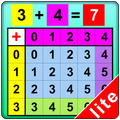
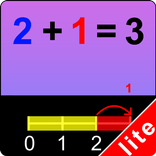
An incomplete number statement (for instance, 2+3 = ) appears at top of the screen. The program tells the student to click on the first number (2) which is highlighted in red in the left column, and then to click on the second number (3) which is highlighted in green in the top row. The answer (5) now gets a blue highlight, and the program tells the student to click on the answer. The answer moves up into the missing space in the number statement, and the program voice says “two plus three is five."