關於SeerrTV
在電視上瀏覽、發現和請求來自 Seerr 伺服器的電影和劇集。
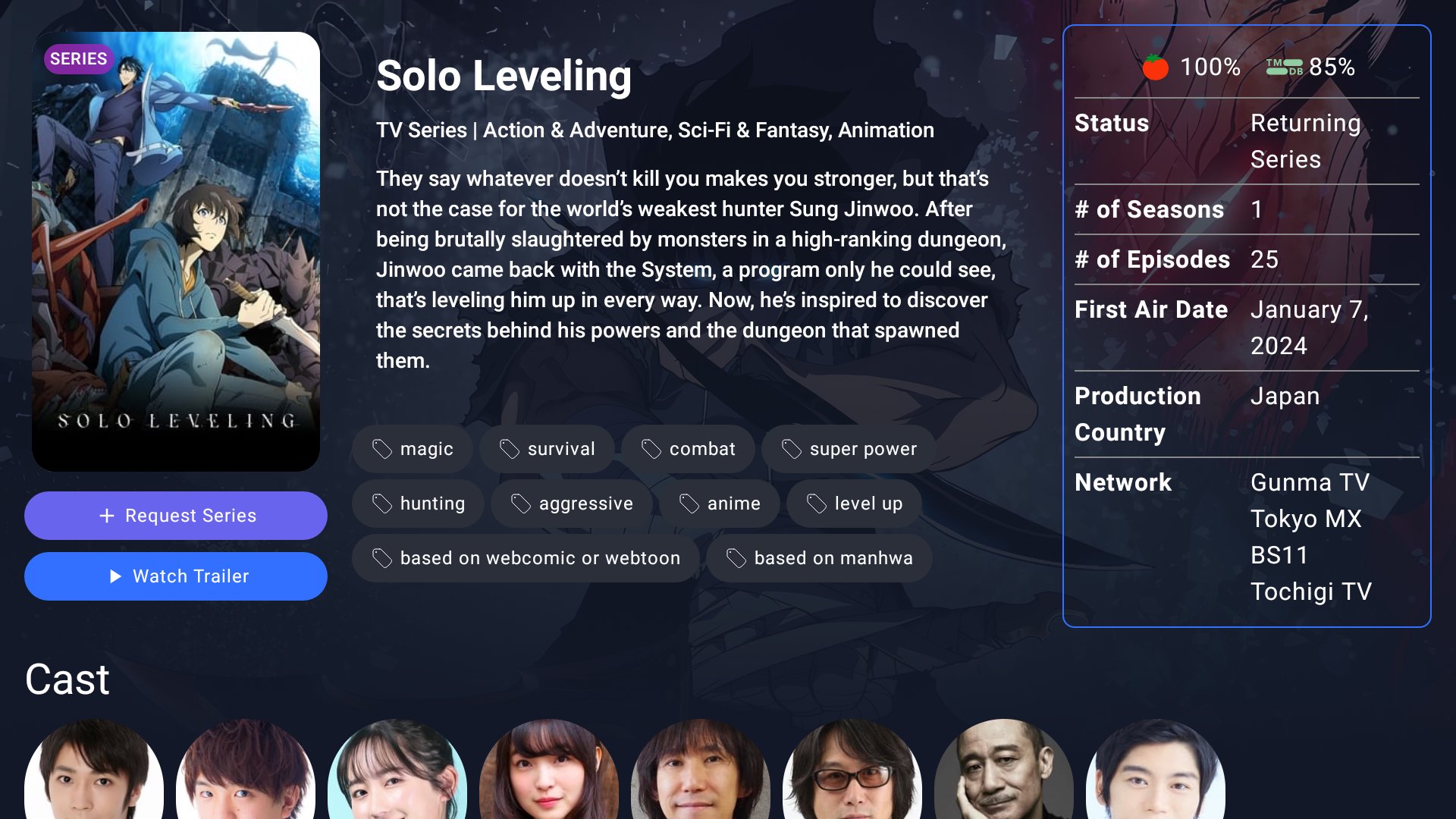
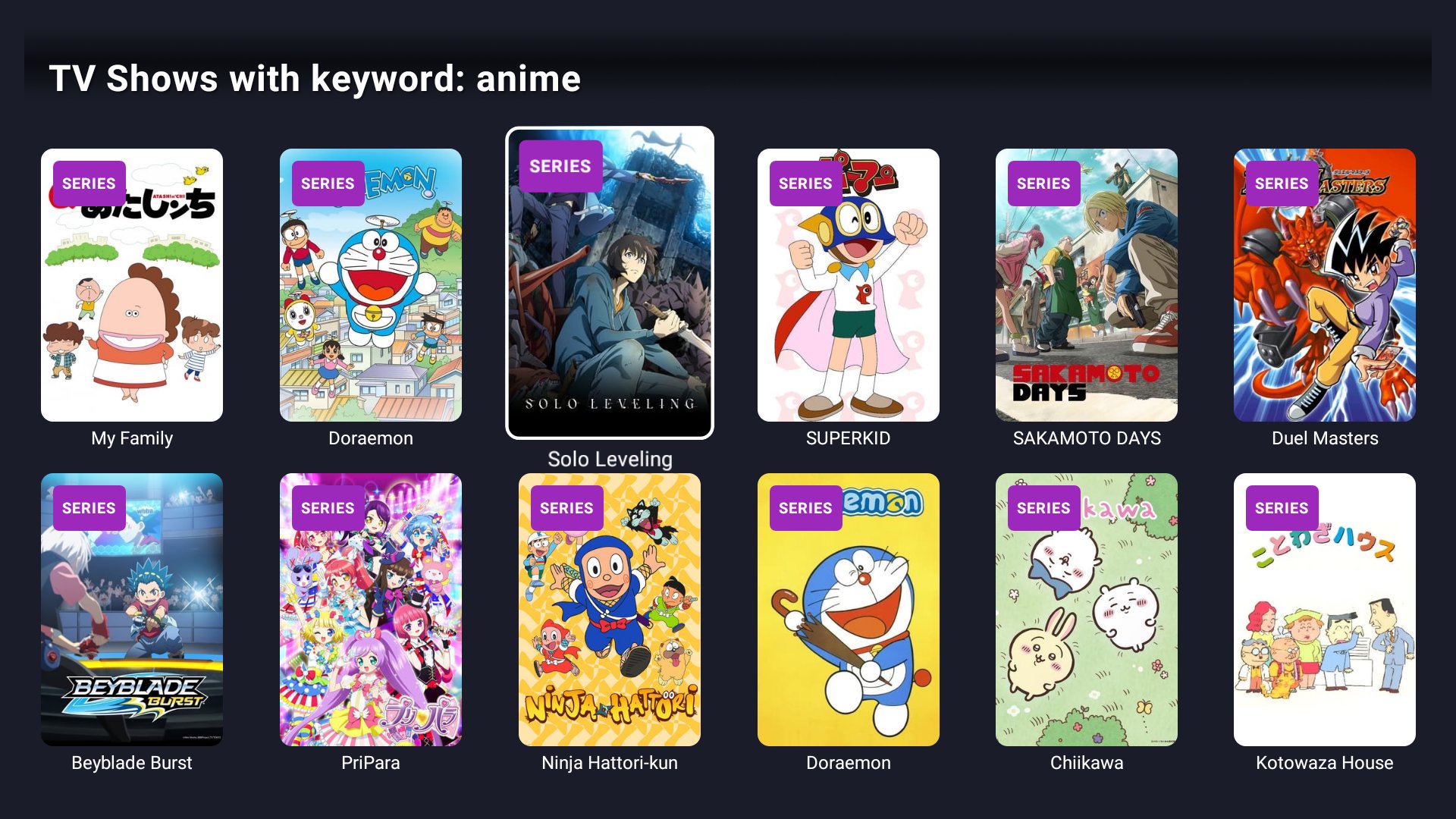
SeerrTV 將 Seerr 帶到您的電視上。瀏覽熱門、流行和即將上映的內容,點播電影和劇集,並追蹤它們的更新進度,所有操作均可透過遙控器完成。
重要提示:SeerrTV 不是獨立應用程式。它需要連接到您自己的 Seerr 伺服器(Jellyseerr 和 Overseerr 伺服器也適用)。
發現
- 主頁面會根據 Seerr 伺服器上的發現設定進行設置
- 使用類型、關鍵字、製片公司、電視台、串流媒體服務、語言、評分、時長等篩選條件瀏覽電影和劇集
- 搜尋、演員和劇組頁面、相似影片和預告片
- 尊重伺服器的屏蔽清單和「隱藏可用影片」設置
請求
- 要求高清或 4K 影片,並選擇伺服器、畫質設定檔、根資料夾(顯示可用空間)和季數
- 為請求新增標籤
- 追蹤請求狀態和下載進度
- 在擁有相應權限的情況下,批准、拒絕或刪除請求
報告問題
- 報告影片、音訊或字幕問題,並在評論中跟進
觀看
- 在 Plex、Jellyfin 或 Emby 中開啟影片
- 將影片新增至您的觀看清單(Jellyfin 和 Emby 帳戶)
專為電視設計
- 專為遙控器設計,焦點清晰,導航流暢
- 支援多個設定文件,每個設定檔都有自己的伺服器和可選的 PIN 碼
- 提供英語、德語、西班牙語、愛沙尼亞語版本法語、匈牙利語、日語、荷蘭語、葡萄牙語和中文
輕鬆設定
- 透過手機掃描二維碼進行設置,或按照電視上的步驟進行設置
- 使用 API 金鑰、本機帳戶、Plex、Jellyfin 或 Emby* 登入
- 支援 Cloudflare Access 服務令牌
* Jellyfin 和 Emby 登入需要 Seerr 或 Jellyseerr 伺服器。
最新版本0.34.2的更新日誌
Last updated on 2026年11月01日
New: pick several keywords in the Movies and Series filters, and hide titles with the new Exclude Keywords filter.
Faster: home loads about twice as fast with far less data, and D-pad scrolling is smoother.
Fixed: Play on PLEX opens the movie or series page in Plex again, not the Plex home screen. Press Watch in Plex to start.
Fixed: rows no longer show "Error loading media" by mistake, the first card of a row no longer ends up half off screen, and each person page starts at the first title.
Faster: home loads about twice as fast with far less data, and D-pad scrolling is smoother.
Fixed: Play on PLEX opens the movie or series page in Plex again, not the Plex home screen. Press Watch in Plex to start.
Fixed: rows no longer show "Error loading media" by mistake, the first card of a row no longer ends up half off screen, and each person page starts at the first title.