在APKPure安全快速地下載APK
APKPure 使用簽章驗證功能,確保為您提供無病毒的 Sleep Display Settings APK 下載。

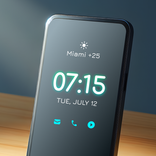
它是一個應用程序來設置屏幕的睡眠時間在一個抽頭。
"Sleep Display Settings" is an application that in the "time set" the sleep time of the screen in one tap.
Up to three taps during the initial setting You can set the sleep time.
For example, one tap first 1 minute, 2 tap 10th minute, third tap You can set the sleep time as 30 seconds.
In addition, one tap, setting of only two taps is also possible.
Or if you want to leave you turn on the screen, you can easily set in, such as one tap if you want to set some of the sleep time.
And the lighting time of the screen by a sleep time of initial setting to "0 hours 0 minutes 0 seconds" infinite (no sleep). and (can not also available models)
You can set the "do not sleep" by using the "Screen lighting infinite" in the mobile models of normal setting is "no sleep" does not exist. and (can not also available models)
[How to use]
● set the sleep time of the screen by the tap number of times during the initial setting.
● Set to order a sleep time that you set the sleep time of the screen when you tap the icon.
※ because there is a possibility that many consumption state (lighting time infinite) of the battery that does not sleep, I need your help by self-responsibility for your use.


感謝您的評分和反饋!
您已經評分了。