在APKPure安全快速地下載APK
APKPure 使用簽章驗證功能,確保為您提供無病毒的 Watch Face Prime Time APK 下載。

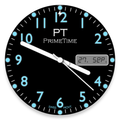
模擬瑞士手錶表面
Model PT Prime Time
Analog Watch Face for Android wear smart watches.
Custom watchface for Huawei Watch / LG G Watch R / LG Watch Urbane...
& other Android smart watches.
Features:
- Round and Square watches
- Custom Ambient Mode brightness
Settings:Ambient Mode Brightness *
You can change watchface brightness on Ambient mode.
- Choose time to go in Ambientmode
- Date indicator
- Hourly Vibrate
- LCD and AmoLED screen (burn-in protection compatible)
Compatible with:
★LG G Watch
★LG G Watch R
★LG Watch Urbane
★Moto 360
★Huawai
★Sony Smartwatch 3
.... and other Android smart watches.
* Tap the watchface icon on your PHONE to setup.
After install the watch face will be available in the Android Wear app.
Touch the watch face to select it and a small wheel will apear on top of the watch face.
Touch it again and the configuration app will start.
If it not showing on the watch run Resync app option in Android Wear app
Installation
It will be installed on your watch automatically from your phone paired with your watch after a short time and please wait. (may take a few minutes)
After installation,you can choose the watch face from the setting menu.
Or just long tap on the current watch face screen,so watch face selector screen will open.


感謝您的評分和反饋!
您已經評分了。