APKPure پر محفوظ اور تیز APK ڈاؤن لوڈ کریں
APKPure آپ کے لئے وائرس سے پاک Addition Using Number Line lite version APK ڈاؤن لوڈ میسر کرنے کے لئے سائنیچر تصدیق استعمال کرتا ہے۔

18.9 MB
فائل سائز
Everyone
Android 4.0+
Android OS
اس نمبر لائن پروگرام سے طالب علم کو اضافے کو سمجھنے میں مدد ملے گی۔
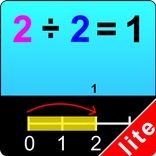
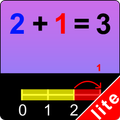
This program uses the number line to help the student understand addition. For instance, if the problem is 6 + 2 = ?, the program will tell the student to click on the first number (6) and a yellow bar will highlight all the spaces on the number line up to the 6. The program will then tell the student to click on each of the next 2 numbers to the right of the 6. These next 2 spaces will be highlighted in red, and will show that the answer to the problem is 8. After clicking on these two numbers, the student will be told to click on the Done button. This program adds only single-digit numbers.
Settings
Select Random Numbers
If this is selected, then the program will choose the numbers to be used in the problems.
Prompt with Blink
If this is selected, then student will helpful to choice the answer.
Display Numbers in Colors
If this is selected then the first number in the number statement will be displayed in yellow and the second number in red.
Command Text
If this is selected then the verbal instructions given by the program voice will appear at the bottom of the screen.
Congratulatory Animation
This box is checked by default. When this is checked, clicking the correct number invites a congratulatory animation. This animation runs for ten seconds. Click anywhere on the screen or press space bar to stop the congratulatory animation.
Select All
If this is selected, then any and all of the numbers in this box will be used. To deselect this choice, click it again and selection will be ended.
Back
Click on the “Back” button to close “Addition Using Number Line” or return to the previous page.



Android پر XAPK/APK فائلیںانسٹالکرنےکےلیےایککلککریں!

آپ کی درجہ بندی اور آراء کا شکریہ!
آپ پہلے ہی درجہ بندی کر چکے ہیں۔