APKPure پر محفوظ اور تیز APK ڈاؤن لوڈ کریں
APKPure آپ کے لئے وائرس سے پاک MagciColors APK ڈاؤن لوڈ میسر کرنے کے لئے سائنیچر تصدیق استعمال کرتا ہے۔

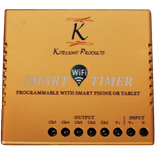
MagicColor software combined with WIFI controller.
Connect with the WIFI controller,make sure the WIFI connection name is "LN****(LN001-LN016)".
According to your controller type and choose the controlling interface to set up the software Click the SETUP
button to enter the setting interface and select the control interface for the corresponding device.
First,select one of the right button on the controlling device WF100,WF103,WF200,WF300. that means choose the WIFI controller, and then set up the controlling parameter according to the controller type.
IF the software can not be controlled in the normal way.
1.Checking whether WIFI is connected Correctly,otherwise reselect the WIFI controller.
2.Check the "Simulation" is on ,need turn off it.
3.And the checking the controller type,the parameter is right or not,otherwise correct the parameter.



Android پر XAPK/APK فائلیںانسٹالکرنےکےلیےایککلککریں!

آپ کی درجہ بندی اور آراء کا شکریہ!
آپ پہلے ہی درجہ بندی کر چکے ہیں۔