Tải APK an toàn và nhanh chóng trên APKPure
APKPure sử dụng xác minh chữ ký để đảm bảo tải APK miễn phí virus cho iOS Control.

It is very useful for big screen smart phone.
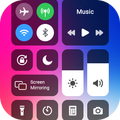
Control Center iOS15 is a simple and easy to use tool for Android devices. It's smooth, fast, and totally free. With a floating bar on the screen, you can simply use your Android smart phone. More accessibly, you can quickly and fastly access to all your favorite games, apps, settings and quickly screen capture, screen recording. iOS Control Center is also a best app to protect the physical buttons (volume button).
Key features of Control Center iOS15 app
👉 Simple and easy to use interface, without hanging
👉 Easy and Secure to resize the notch of control panel
👉 Help to change color of the notch
👉 Capture Screenshot: Capture screen of your smartphone
👉 Record Screen: Record any activity in your phone
👉 WiFi: Turn on Wi-Fi to browse the web, download movies, stream music, and many more.
👉 Don’t disturb mode: Silence calls, notifications and alerts, that you receive while your phone is locked
👉 Brightness: Change the brightness of your display from any screen
👉 Screen timeout
👉 Control audio: From here, you can fastly play, pause, and control volume of your favorite song, music, podcast, and more
👉 Airplane mode: Use Airplane Mode to directly turn off Bluetooth, Wi-Fi, and cellular connections on your android phone
👉 Flashlight Super Bright: The LED flash on your camera doubles as a flashlight, so you can obtain extra light when you want it
👉 Screen rotation: Portrait Orientation Lock, remain your screen from rotating when you move your device
👉 Calculator: use numbers and functions in Calculator, totally like a standard calculator
👉 Camera: Never miss a minute to capture a picture with fast access to your camera
👉 Alarms and Timer: Set an alarm, stopwatch, or timer, or check the time in another region or country
How to open Control Center- Screen Recorder:
If "Top-right Edge" is enabled, swipe down from the top-right edge to open Control Center iOS.
If "Top-right Edge" is not enabled, swipe up from the bottom of the screen to open Control Center iOS15.
Swipe down or Touch, swipe up to close.
iOS Control panel- Control Center has no custom limits: change color, video recorder, button size, background, and home bar size.
IOS Control Center for Android
With the iOS control center15, you can arrange all your smartphone notifications with one bar of the control center. All your phone settings like WIFI connection, Lock-Screen and Bluetooth connectivity can be accessed through the IOS volume control center. Moreover, you can control the volume of media with your control center iOS. Users can access the best persistent apps by using the swipe option of the control center and IOS volume control.



Một cú nhấp chuột để cài đặt các tệp XAPK/APK trên Android!

Cảm ơn bạn đã xếp hạng và phản hồi của bạn!
Bạn đã đánh giá.