Tên gói:uz.smartprinter.app
Xem thêm

12.8 MB
Dung lượng tệp
Everyone
Android 8.0+
Android OS
Print and scan from your phone over USB or Wi-Fi: photos, PDF, ID photos, OCR
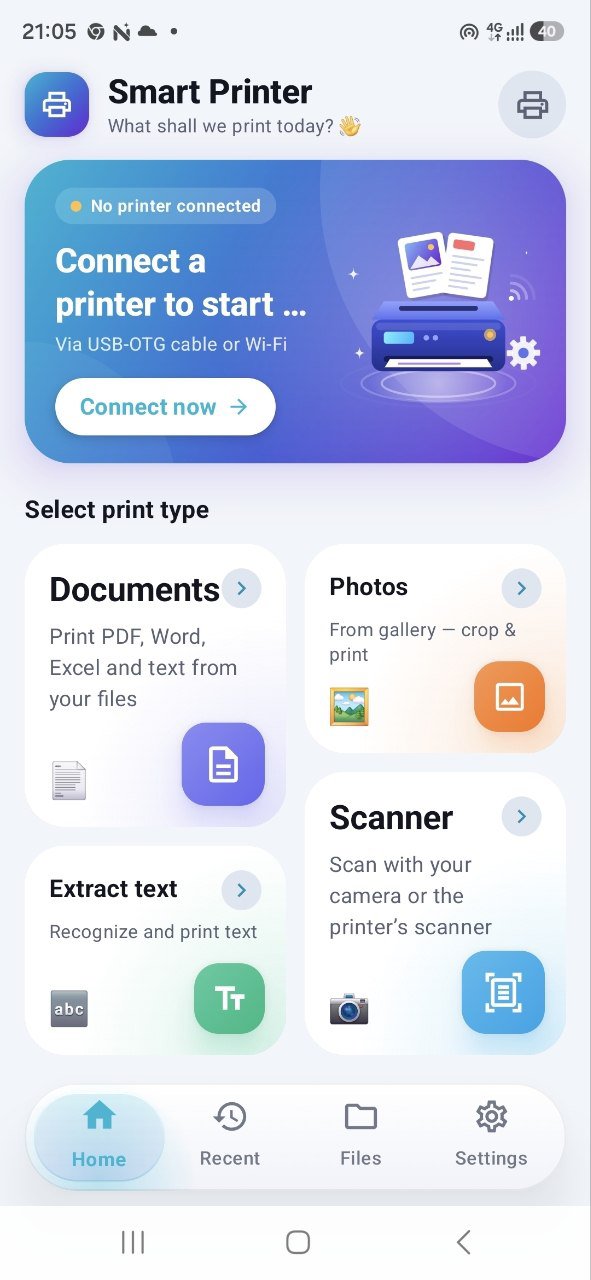
Smart Printer turns your Android phone into a print and scan station. Connect a printer with a USB OTG cable or over Wi-Fi, choose a file and print. No computer and no extra drivers needed.
PRINT OVER USB
- Plug a laser or inkjet printer straight into your phone with an OTG cable
- Built-in drivers for many Canon, HP, Epson, Brother, Samsung and Xerox models
- Works with older printers that have no Wi-Fi
PRINT OVER WI-FI
- Finds printers on your network automatically
- Supports AirPrint, Mopria and IPP Everywhere printers
DOCUMENTS
- PDF, Word, Excel, text files and web pages
- Copies, page ranges, paper size, two-sided printing and preview
PHOTOS
- Borderless photos on glossy paper, 10×15 cm (4×6") and A4
- Color and quality tuned for photo printing
ID PHOTOS
- 3×4 cm, 3.5×4.5 cm, 2×2 inch and custom sizes
- Several photos on one sheet at exact size
SCANNER
- Scan documents with the phone camera
- Scan from the built-in scanner of multifunction printers over USB or Wi-Fi (eSCL)
- Crop, rotate and apply filters
- Save as PDF, or save the part you need as a JPG or PNG image
TEXT RECOGNITION (OCR)
- Extract text from scans and photos in more than 60 languages
- Recognition runs on your phone; your documents are never uploaded
PRINTER SERVICE
- Nozzle check, print head cleaning and calibration for supported Epson printers
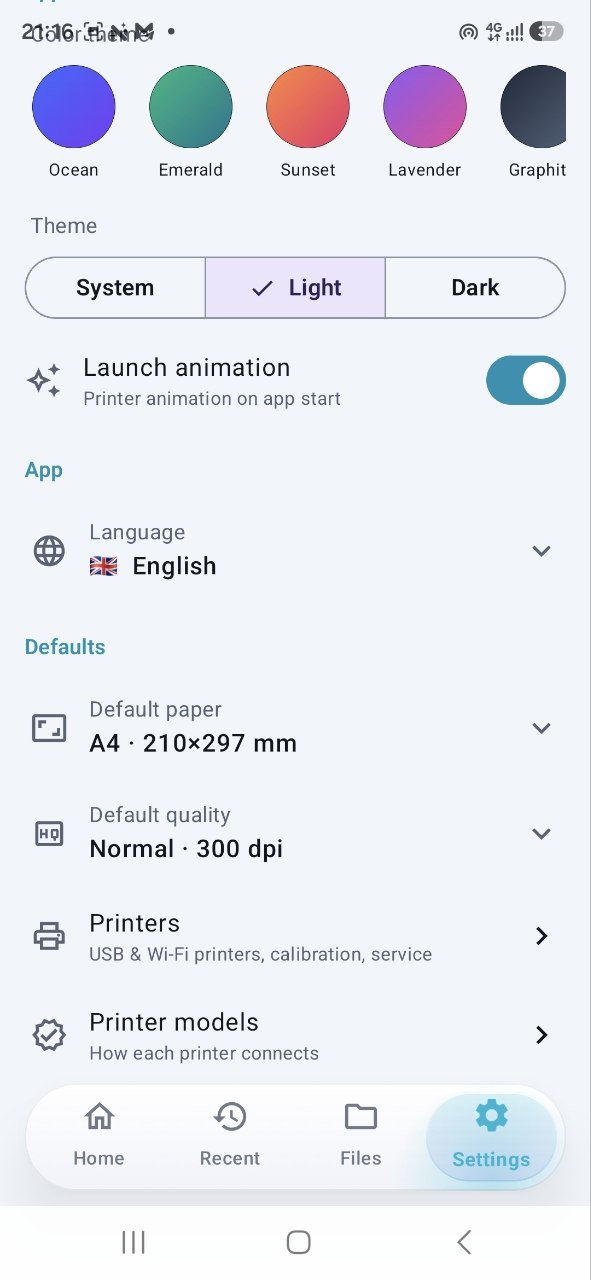
- Guide that shows how each printer model connects
PRIVACY
Smart Printer has no accounts and no servers of its own. Your files stay on your phone and are sent only to the printer you choose.
Available in Uzbek, Russian, English, Kazakh, Turkish, Spanish, Portuguese and Indonesian.
Smart Printer is an independent app and is not affiliated with Canon, HP, Epson, Brother, Samsung, Xerox or Apple. Brand names are used only to describe compatibility. Printing over USB requires a phone that supports USB OTG.
----------------------------------------------------------
Smart Printer Android telefoningizni chop etish va skanerlash markaziga aylantiradi. Printerni USB OTG kabel yoki Wi-Fi orqali ulang, faylni tanlang va chop eting. Kompyuter ham, qo‘shimcha drayver ham kerak emas.
USB ORQALI CHOP ETISH
- Lazer yoki siyohli printerni OTG kabel bilan to‘g‘ridan-to‘g‘ri telefonga ulang
- Canon, HP, Epson, Brother, Samsung va Xerox’ning ko‘plab modellari uchun drayverlar ilova ichida
- Wi-Fi’si yo‘q eski printerlar bilan ham ishlaydi
WI-FI ORQALI CHOP ETISH
- Tarmoqdagi printerlar avtomatik topiladi
- AirPrint, Mopria va IPP Everywhere printerlari qo‘llab-quvvatlanadi
HUJJATLAR
- PDF, Word, Excel, matnli fayllar va veb-sahifalar
- Nusxa soni, sahifa oralig‘i, qog‘oz o‘lchami, ikki tomonlama chop etish va oldindan ko‘rish
RASMLAR
- Yaltiroq qog‘ozda chekkasiz rasm: 10×15 sm va A4
- Rang va sifat foto chop etish uchun moslangan
HUJJAT UCHUN RASM
- 3×4 sm, 3.5×4.5 sm, 2×2 dyuym va o‘zingiz bergan o‘lcham
- Bitta varaqqa bir nechta rasm, aniq o‘lchamda
SKANER
- Hujjatlarni telefon kamerasi bilan skanerlang
- Ko‘p funksiyali printerning o‘z skaneridan USB yoki Wi-Fi orqali skanerlang (eSCL)
- Kesish, burish va filtrlar
- PDF qilib yoki kerakli qismini JPG yoki PNG rasm qilib saqlang
MATNNI TANISH (OCR)
- Skaner va rasmlardan 60 dan ortiq tilda matn ajratib olish, jumladan o‘zbek tili (lotin va kirill)
- Tanish telefonning o‘zida bajariladi, hujjatlaringiz hech qayerga yuborilmaydi
PRINTER XIZMATI
- Qo‘llab-quvvatlanadigan Epson printerlari uchun nozzle check, bosh tozalash va kalibrlash
- Har bir printer modeli qanday ulanishini ko‘rsatuvchi qo‘llanma
MAXFIYLIK
Smart Printer’da akkaunt ham, o‘z serveri ham yo‘q. Fayllaringiz telefoningizda qoladi va faqat siz tanlagan printerga yuboriladi.
Ilova tillari: o‘zbek, rus, ingliz, qozoq, turk, ispan, portugal va indonez.
Smart Printer mustaqil ilova bo‘lib, Canon, HP, Epson, Brother, Samsung, Xerox yoki Apple bilan bog‘liq emas. Brend nomlari faqat moslikni ko‘rsatish uchun keltirilgan. USB orqali chop etish uchun telefon USB OTG’ni qo‘llab-quvvatlashi kerak.




Một cú nhấp chuột để cài đặt các tệp XAPK/APK trên Android!

Cảm ơn bạn đã xếp hạng và phản hồi của bạn!
Bạn đã đánh giá.