
在APKPure安全快速地下载APK
APKPure 使用签名验证功能,确保为您提供无病毒的 OS Broadcaster APK 下载。

播出了免费的RTMP流光现场活动!
Live RTMP audio/video streamer to Flash Media Servers (Adobe Flash Media Server, Wowza, EvoStream, C++ RTMP Server, Red5, NGINX-RTMP-Module etc.).
Supported codecs:
- Video: Sorenson Spark (H.263)
- Audio: Speex, NellyMoser
Unfortunately we are not able to add support for H.264 and AAC codecs (these codecs are not supported by Adobe AIR). Solution for streaming in these codes to any screen is re encoding stream on the server side to the required format (with e.g. FFmpeg, Nginx-rtmp-module, Evostream, etc.).
Considering to missing H.264 and AAC codecs is not possible broadcast to mobile devices and YouTube.
Features:
- Video: Width, Height, FPS, KeyFrame, Quality, front camera support (if is available), Autofocus
- Audio: Gain, Quality
- Stream: FMS URL (RTMP, RTMPT, RTMPE, RTMPS), Name, Bandwidth, Publish (Live, Record, Append)
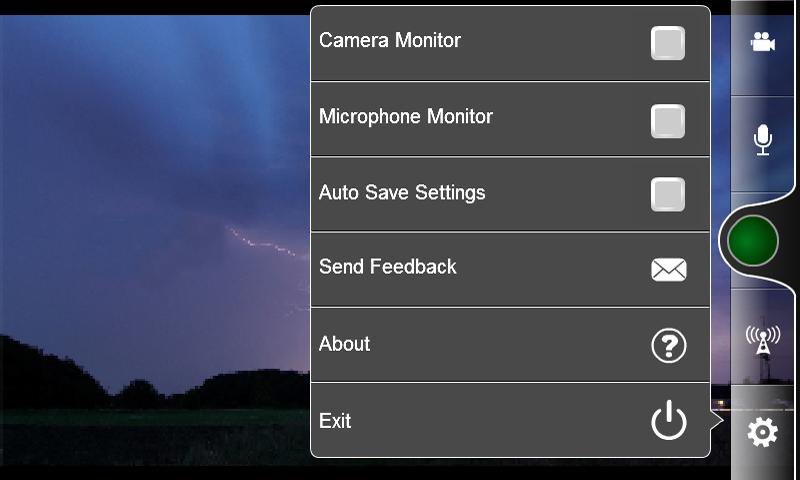
- Monitor and Mute Functions for Camera and Microphone
- Settings AutoSave
- Logs
Connection and Stream Status Messages:
- Connecting ... (connecting to the media server)
- Connection Failed! (connection status: failed or rejected, e.g wrong URL or server rejected connection)
- Connected (connection status: success)
- Disconnected (connection status: disconnected , streaming closed)
- Streaming (stream publish start)
- Stream Failed! (e.g. bad stream name - name is already used, depends on media server type)
For secure publishing and authentication with Wowza read more at:
- http://www.wowza.com/forums/content.php?233
- http://www.wowza.com/forums/content.php?234-How-to-do-file-based-authentication-with-RTMP-client-and-credentials-in-querystring-of-NetConnection-connect-RTMP-URL
Some settings tips:
1. To indicate that bandwidth use takes precedence, pass a value for bandwidth and 0 for quality. OS Broadcaster transmits video at the highest quality possible within the specified bandwidth. If necessary, OS Broadcaster reduces picture quality to avoid exceeding the specified bandwidth. In general, as motion increases, quality decreases.
2. To indicate that quality takes precedence, pass 0 for bandwidth and a numeric value for quality. OS Broadcaster uses as much bandwidth as required to maintain the specified quality. If necessary, OS Broadcaster reduces the frame rate to maintain picture quality. In general, as motion increases, bandwidth use also increases.
3. To indicate that both bandwidth and quality are equally important, pass numeric values for both parameters. OS Broadcaster transmits video that achieves the specified quality and that doesn't exceed the specified bandwidth. If necessary, OS Broadcaster reduces the frame rate to maintain picture quality without exceeding the specified bandwidth.
iOS version: https://itunes.apple.com/us/app/os-broadcaster/id632458541?l=sk&ls=1&mt=8
Change log:
Version 1.6.3:
- Runtime updated
Version 1.6.1:
- Bug fix
Version 1.6.0:
- User friendly and responsive UI for all screens
- Autofocus button/feature
- Both full & normal screen modes are supported
- Fixed functionality of menu buttons. No unwanted restarting of stream.
- Network status info. Toast message (only if network is unavailable) and logs
- Added description of NetStatusEvent for NetConnection and NetStream to logs
Version 1.5.1:
- Several bugs fixed and functionality improved
- Tablets supported
Version 1.4.4:
- Added "Exit" button
Version 1.4.1:
- Fixed muted mic bug (when "Settings" window is closed)
Version 1.4.0:
- Front camera support.
- Fixed muted mic bug (when "Microphone" window is closed) and added microphone support for Android 4.4.
- Fixed aspect ratio issue (added width and height parameters to the stream's metadata).
Version 1.3:
- Design changes (icons).
Version 1.2:
- Removed Apply button and auto-hide interval for settings (solve enter or paste RTMP server path problem). - Fixed save data bug. Color of "Streaming button" changed to red and some others GUI changes.




感谢您的评分和反馈!
您已经评分了。