
在APKPure安全快速地下载APK
APKPure 使用签名验证功能,确保为您提供无病毒的 Quick Message APK 下载。

您可以随时随地在自己的各种设备上畅享数百万最新的 Android 应用、游戏、音乐、电影、电视节目、图书、杂志等精彩内容。
Quick Message is the app you need for quick text message replying!
Features:
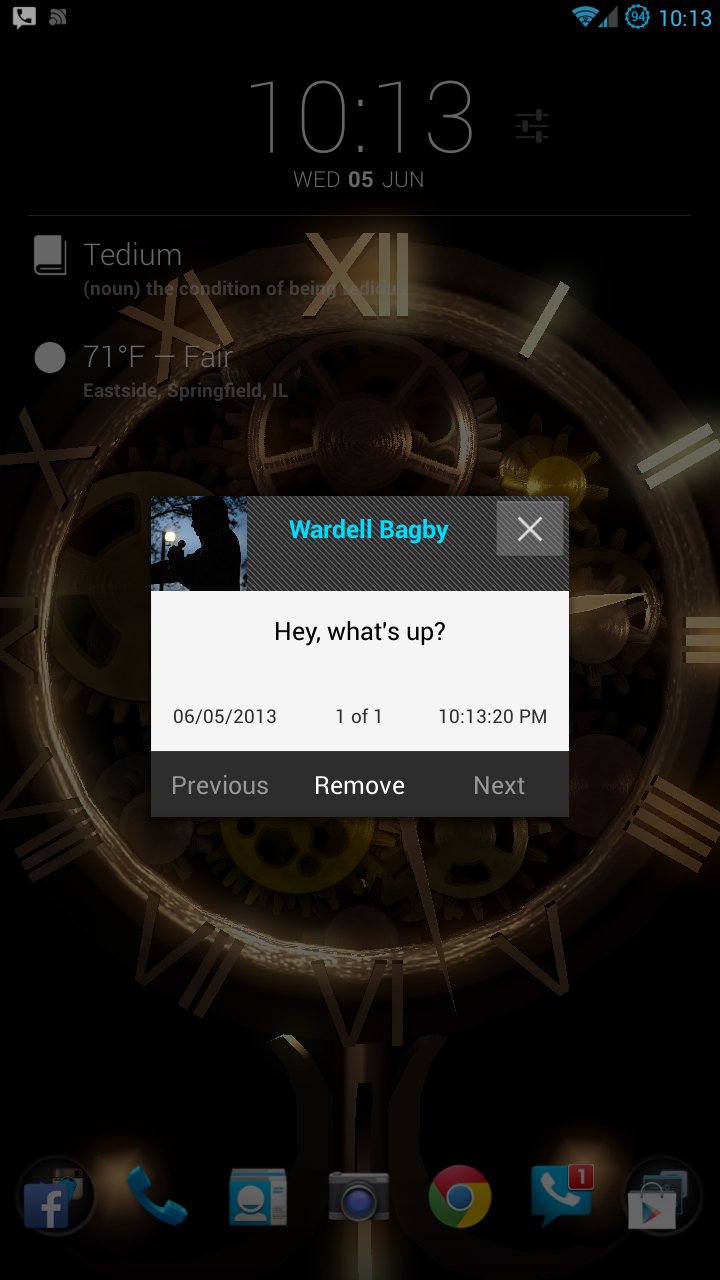
* Pop-up Text Message Notifications.
* Automatic Hands-Free Replying!
* Replying to texts without unlocking your phone!
* Replying to SMS texts and Google Voice texts in one simple interface!
By default, you can enable this app to show notifications for text messages. If you are a Google Voice user, you can enabled it for Google Voice by following the steps below:
1. Install Google Voice and set up the prerequisites.
2. Make sure that the Google Voice notifications are enabled. Vibrate and sound need not be enabled.
3. Open this app and start the Quick Message Google Voice Service.
4. Log in to Google Voice using this app.
You can even use them both simultaneously, and the app will automatically determine which protocol to send it through.
Whenever you receive a new message (SMS or Google Voice), a convenient pop-up will appear, allowing you to quickly view the message you received. If you are logged in through the app, it will also let you quickly and efficiently reply if the message is from Google Voice. You can reply to SMS without logging in.
*FAQ
Q: Do I have to be logged in to use this app?
A: No, it will still receive both Google Voice messages and SMS and the pop-up will appear, but you won't be able to quickly reply if the message is from Google Voice.
Q: Why do I have to log in?
A: In order to reply to Google Voice message. The Google Voice app (as of 6/8/2013) does not let other applications send messages through it. In order to circumvent this, you may log in to send the message. If Google Voice app upgrades in order to accommodate other apps sending messages through it, then I will update this app accordingly.
Q: Will this work without Google Voice installed?
A: Yes. You can still both send and receive SMS.
Q: Is my account information sent to anywhere but Google's servers?
A: No. Your information is only used to login and send messages. I do not save this information except to allow a quicker login later. This information is not saved for any other reason or sent to anyone else except the official Google Servers. View the Privacy Policy for more information
(https://policy-portal.truste.com/core/privacy-policy/Wardell-Chandler-Bagby/c5b11d77-5113-4733-8a28-9e4aef195b2f)
This is the essential app for anyone who texts, whether that be through Google Voice or through SMS!
1.5
* Added Support for SMS message.
* Added a "Remember Number" option for contacts with multiple numbers. Only for Google Voice.
* Added a "Hands-Free" option.
1.1
* Added Speaking Message Option.


感谢您的评分和反馈!
您已经评分了。