在APKPure安全快速地下载APK
APKPure 使用签名验证功能,确保为您提供无病毒的 Quicker Free APK 下载。

快速进入系统设置
This is a free, ads-supported version of Quicker app.
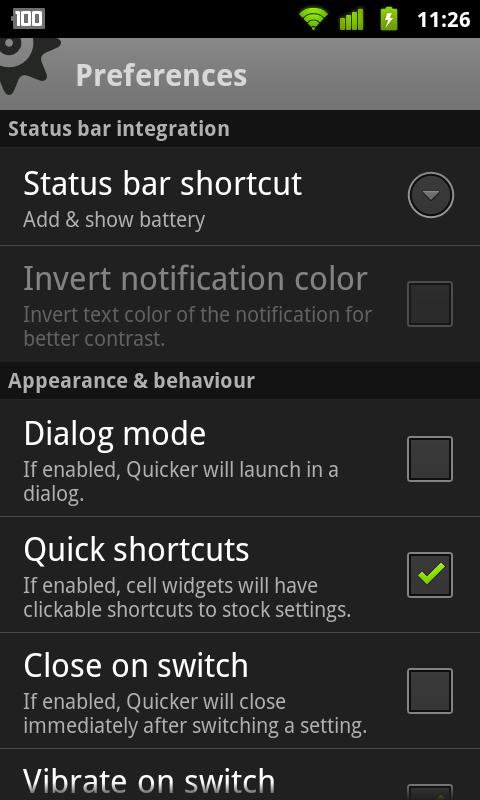
Quicker lets you put frequently used settings and shortcuts into a single place and access them from there quickly. It extends standard stock settings with better volume and brightness controls, as well as free memory indicators. Built in screen and LED flashlight make it even more useful.
Join our Google+ community: http://goo.gl/QGiMg
Terms of use: http://goo.gl/2dIkG
Switches:
- Brightness (w/ Screen Dimmer for convenient usage of the phone in the darkness)
- Ringer mode
- Volume streams
- Bluetooth
- Wi-Fi
- Portable Wi-Fi Hotspot*
- GPS**
- Mobile Data**
- Call settings
- Auto-sync
- Screen timeout
- Airplane mode
- Auto rotation
- Screen lock pattern
Indicators:
- Battery
- Free memory (internal, external)
- App cache
- Digital clock
Tools:
- Flashlight (screen and LED)***
Others:
- Battery indicator in status bar
Quicker uses following permissions:
- "Storage" for backup / restore feature
- "GPS location" for switching GPS on/off (see **)
- "Take picture & video" for LED flashlight
- "Directly call" for the shortcut widget when you adding a direct call shortcut
- "Reading log data" for being able to report issues
- "System tools" permissions for changing various system settings
Quicker uses these permissions for the purposes listed above only.
*) Not available for some Android version and phones
**) Direct switch is available for some Android versions and phones
***) LED flashlight might not be compatible to some phones
FAQ:
- Can Quicker launch after phone restart? Yes, just install it to the phone memory (not SD card)
- Why Brightness switch does not work? If you have a SwipePad running, then it can interfere with this function on Android 4.0 or higher devices.
NOTE 1: Although Quicker does its best to switch Mobile Data, GPS and WiFi Hotspot with a single click, there are devices / Android versions where these settings cannot be switched directly. In such cases shortcuts to stock settings are available only.
NOTE 2:
Why no direct switch? Because Android security model does not allow installed applications to change secure system parameters. This is done to protect users from malicious application that can misuse those parameters otherwise.
v.1.9.9
* Proper notification contrast on Android L&M
* Long press on empty workspace place brings up context menu
v.1.9.8
* Better support for Android 5.0 and higher
v.1.9.7 (minor release)
* New "Shortcut with icon" option
* Fixed Screen Dimmer on Android 4.2
* Some more improvements for Android 4.2




感谢您的评分和反馈!
您已经评分了。