ایمن و سریع APK دانلود در APKPure
APKPure از تأیید امضای نرمافزار برای اطمینان از دانلودهای بدون ویروس APK My Watch استفاده میکند.

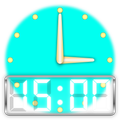
This widget provides analog/digital clocks, next alarm clock and next schedule.
The My Watch widget provides analog/digital clock, the next alarm clock as well as next schedule on home screen and lock-screen (Only Android versions lower than 5.0 support lock-screen widgets).
Main Features
• Show analog/digital clock and access this widget's settings by tap on clock picture.
• Show/Hide current date.
• Show/Hide next alarm clock and access system alarm clock by tap on bell picture row.
• Show/Hide next schedule and access system calendar by tap on calendar picture row.
• Change clock type between analog and digital.
• Choose horizontal or vertical layout.
• Re-sizable layout.
• Separated the widget settings to another launcher icon in Apps tray.
• D.I.Y. analog clock pictures.
After installation, you may need to grant permissions as follow;
• On your device, open the main Settings app.
• Tap Apps or Application Manager (depending on your device).
• Tap the My Watch.
• Tap Permissions.
• Turn permissions on or off.
Note:
• Widget re-sizable, touch-hold this widget to show its resize handles, then drag the horizontal and/or vertical handles to change its size.
• After the reboot, this widget needs a few minutes to be updated.
• The last analog clock type is not support full screen on tablet.
• D.I.Y. analog clock, it saves picture paths, but it does not embed pictures. So, please keep existing pictures in device



برای نصب فایل های XAPK/APK در اندروید با یک کلیک!

با تشکر از رتبه و بازخورد شما!
شما قبلاً رتبه بندی کرده اید.