Unduh APK dengan Aman dan Cepat di APKPure
APKPure menggunakan verifikasi tanda tangan untuk memastikan unduhan APK AAAD Android Auto apps yang bebas dari virus untuk Anda.

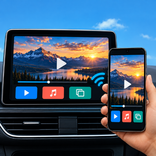
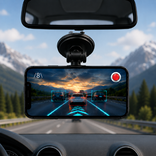
Pengunduh aplikasi Android Auto, periksa dan ikuti panduan pengaturan CarStream.
Temukan aplikasi Android Auto Downloader dan siapkan ponsel Anda untuk perjalanan berikutnya dengan aplikasi Android Auto aaad. Jelajahi aplikasi mobil, periksa pengaturan ponsel Anda, dan ikuti panduan koneksi USB atau nirkabel yang jelas dari satu tempat.
Baik Anda sedang mengatur Android Auto untuk pertama kalinya atau memperbaiki masalah koneksi, aaad membantu Anda memahami apa yang perlu diperiksa dan ke mana harus pergi selanjutnya.
TEMUKAN APLIKASI UNTUK MOBIL ANDA:
Jelajahi katalog berisi 100 aplikasi di berbagai kategori seperti navigasi, musik dan audio, perpesanan, cuaca, parkir dan pengisian daya, serta penggunaan saat parkir.
Cari berdasarkan nama aplikasi, periksa aplikasi katalog mana yang sudah ada di ponsel Anda, dan buka halaman Google Play resminya untuk menginstalnya. Temukan aplikasi yang berguna untuk perjalanan harian Anda atau perjalanan darat Anda berikutnya.
PERIKSA PONSEL ANDA:
Lakukan pemeriksaan perangkat sebelum terhubung ke mobil Anda:
- Periksa versi Android Anda dan persyaratan untuk koneksi USB dan nirkabel.
- Lihat apakah Bluetooth dan Wi-Fi diaktifkan.
- Periksa apakah Android Auto terpasang atau dinonaktifkan.
- Buka pengaturan Android yang relevan jika ada yang perlu diperhatikan.
Pemeriksaan ini menunjukkan apa yang dapat dilaporkan oleh ponsel Anda. Dukungan kendaraan juga bergantung pada pabrikan mobil, wilayah, dan versi perangkat lunak Anda.
PANDUAN KONEKSI AAAD CARSTREAM:
Gunakan bagian CarStream di aaad untuk mengikuti daftar periksa koneksi interaktif. Lakukan langkah-langkah pengaturan USB atau nirkabel, buka pengaturan Bluetooth dan Wi-Fi, dan lihat status koneksi yang dilaporkan ponsel Anda.
Simpan langkah-langkah pengaturan Anda bersama-sama sehingga Anda dapat kembali ke daftar periksa kapan pun Anda membutuhkan bantuan untuk menghubungkan ponsel Anda.
MEMPERBAIKI MASALAH UMUM ANDROID AUTO
Ikuti panduan pemecahan masalah untuk:
- Aplikasi yang hilang dari layar mobil Anda.
- Koneksi USB yang terus terputus.
- Koneksi nirkabel yang tidak mau dimulai.
- Android Auto gagal dibuka.
Baca langkah-langkah yang disarankan dan buka pengaturan yang relevan langsung dari aplikasi.
MULAI
1. Buka aaad dan jelajahi katalog aplikasi.
2. Periksa pengaturan ponsel Anda dan persyaratan koneksi.
3. Ikuti daftar periksa pengaturan USB atau nirkabel.
4. Gunakan pemecahan masalah saat koneksi memerlukan perhatian.
Tidak diperlukan akun. Pemeriksaan perangkat berjalan secara lokal di ponsel Anda. Aplikasi ini berisi iklan.
aaad menyediakan panduan penemuan aplikasi dan koneksi. Aplikasi diinstal melalui halaman Google Play resminya. Bagian CarStream adalah panduan koneksi; bagian ini tidak melakukan streaming video atau mencerminkan layar ponsel Anda.
Siapkan koneksi Anda saat parkir. Gunakan aplikasi sesuai dengan mode yang didukung dan peraturan keselamatan jalan setempat.
aplikasi aaad Android Auto adalah aplikasi pendamping independen dan tidak berafiliasi dengan Google atau pengembang aplikasi lain. Android dan Android Auto adalah merek dagang Google LLC. Nama dan ikon aplikasi lain milik pemiliknya masing-masing.



Sekali klik untuk menginstal file XAPK/APK di Android!

Terima kasih atas peringkat dan umpan balik Anda!
Anda sudah menilai.