









Thanks for your rating and feedback!
You have already rated.

One task, full screen. Nothing else. Tap to finish, then the next appears.
**One Task — Just the one thing in front of you.**
No lists. No backlog scrolling. No fifty half-finished items staring back at you. One Task shows exactly one thing at a time, full-screen — the thing you should be doing right now. Finish it, and the next one appears. That's the whole app.
**Why it's different**
Most to-do apps show you everything at once — every task, every deadline, every unfinished thing you've ever added. That's not organization, it's overwhelm. One Task strips the list away entirely. You can add as many tasks as you want, but you'll only ever see one of them on screen: the current one.
**How it works**
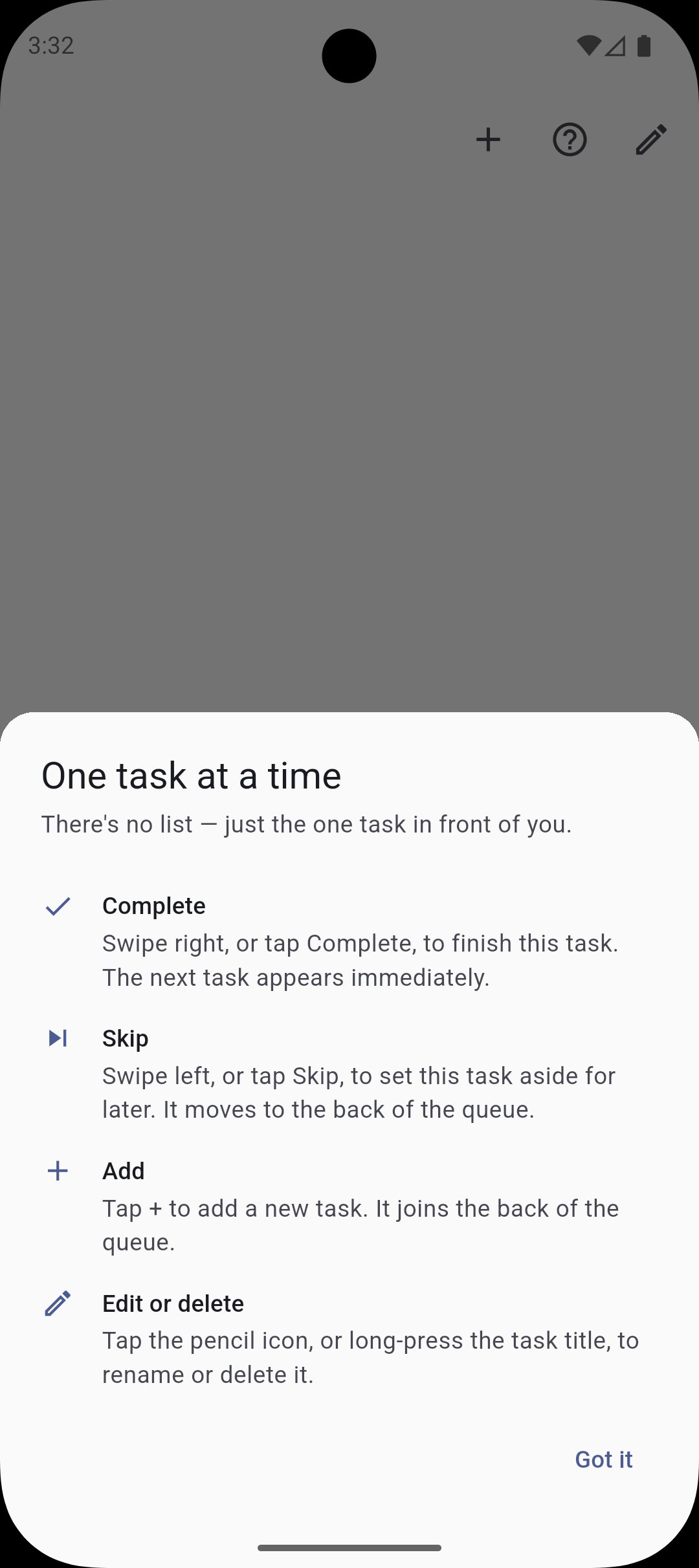
- Add a task with a single tap
- It appears full-screen — nothing else competing for your attention
- Swipe or tap to mark it complete, and the next task takes its place
- Not ready for this one yet? Skip it, and it moves to the back of the line
- Add more anytime — they queue up quietly in the background, never shown until it's their turn
**Features**
- Full-screen, single-task interface — zero clutter, zero list view
- Simple complete / skip actions to move through your queue
- Tasks persist between sessions, so you never lose your place
- Minimal, distraction-free dark design
- No account, no sign-up, no cloud sync required
- Works completely offline
**Who it's for**
- Anyone who opens a to-do app and immediately feels more overwhelmed, not less
- People who procrastinate by reorganizing their list instead of doing the work
- Anyone who wants a productivity tool that removes decisions instead of adding them
- Fans of minimalist, single-purpose apps that do one thing well
One Task won't help you plan your quarter or manage a team. It does one thing: puts a single task in front of you and gets out of the way until it's done.
Add a task. See only that task. Finish it. Repeat.


One-click to install XAPK/APK files on Android!
Thanks for your rating and feedback!
You have already rated.