APKPure에서 안전하고 빠른 APK 다운로드
APKPure는 바이러스 없는 Division Using Grouping Lite APK 다운로드를 위해 서명 확인을 사용합니다.


20.4 MB
파일 크기
Everyone
Android 4.0+
Android OS
이 응용 프로그램에서 부문은 그룹으로 번호 사과를 나누어 설명한다
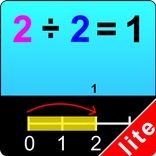
In this app division is illustrated by dividing number apples into groups. If, for instance, the division problem (which appears at the top of the screen) is 18 ÷ 2 =, the student will be told to click on the first number (18) and 18 apples will appear on the screen. The student will then click on each of the apples (which will be blinking). The apples will go into numbered boxes (two per box) at the bottom of the screen. The number of the last box is the answer. The student clicks on the last blinking number, which rises into the number statement. The program voice states “Eighteen divided by two is nine” and 9 appears in the answer space
Settings
Select All
If this is selected, then any and all of the numbers in this box will be used. To deselect this choice, click it again and “Select All” will be ended.
Select Random Numbers
If this is selected, then the program will choose the numbers to be used in the division problems.
Congratulatory Animation
This box is checked by default. When this is checked, clicking the correct number invites a congratulatory animation. This animation runs for ten seconds. Click anywhere on the screen or press the space bar to stop the congratulatory animation.
Back
Click on the “Back” button to close “Division Using Grouping” or return to the previous page.



등급과 피드백에 감사드립니다!
당신은 이미 평가했습니다.