APKPure에서 안전하고 빠른 APK 다운로드
APKPure는 바이러스 없는 Ping Network Things APK 다운로드를 위해 서명 확인을 사용합니다.

Ping Utility.Ping range.Monitor IP Address.Ping multiple objects.Show on plan.
Ping utility.Ping range.Monitor IP address.Ping multiple objects. Show on plan.
Ping Network Things is a multi-function network tool.
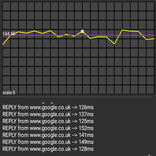
Ping Single IP Address. (With useful sound feedback monitor).
Ping Range of IP Addresses.
Ping multiple objects and show on room plan.
Create a ROOM PLAN using SQL database or CSV File.
A really useful utility for checking PCs in rooms at home, in schools, in colleges, libraries etc.
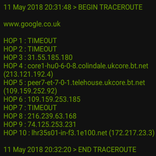
Ping web URLs.
PING a range of IP Addresses.
Monitor a single IP Address with visual and sound feedback for hands free use.
‘Ping Network Things’ has also been developed to enable the network status of sets of PCs or network devices (objects) to be monitored visually and quickly with a mobile Wi-Fi device (your phone).
‘Ping Network Things’ uses the ubiquitous ‘Ping’ command to check the network connectivity of each object in a particular room. If the object responds positively to the ‘ping’ then it’s corresponding grid location is coloured green. If the object responds negatively to the ‘ping’ then it’s corresponding grid location is coloured red.
Possible reasons for no response include:-
- Object not switched on (unplugged, power cable unattached, mains switched off etc.)
- Network cable unattached or Wi-Fi switched off/disabled.
- Object ‘crashed’.
- Wrong network name/IP address supplied
- Device hosting ‘Ping My Network Things’ is not connected to network
- etc
Supplying data to ‘Ping Network Things’
A total of 11 rooms (A – K) are available to be populated with network objects.
Room data is supplied via an SQL database and/or a CSV File.
It is possible to use both the SQL and CSV function simultaneously.
SQL Database
Touch the ‘SQL’ button.
Enter object name (IP address or object network name)
Select room (A-K)
Enter object grid reference in the form (Column (A-P):Row(1-18)) e.g. A1
Click ‘ADD RECORD’
Repeat this procedure to add further records.
Records can be added, updated or deleted as required.
To load SQL records into the Room Plan click ‘LOAD RECORD’.
Then click on ‘ROOM PLAN’
Room Plan Mode
Touch the room to be viewed (A – K)
The network objects should appear as blue squares if they have not yet been pinged.
Touch the room plan window to ping the objects in that room.
A room ping command will be issued to ping each object in the room.
If the object responds positively to the ‘ping’ then it’s corresponding grid location is coloured green.
If the object responds negatively to the ‘ping’ then it’s corresponding grid location is coloured red.
CSV File
Touch the ‘CSV’ Button.
Touch ‘SAMPLE CSV’ to load the internal sample CSV. This will show a list in the format:-
Object Name, Room, Grid Reference
Touch ‘ROOM PLAN’ to see the sample network objects.
This sample file helps to show what format the ‘pingmythings.csv’ file needs to be.
SDCARD CSV
This is the quickest way to enter network object data.
A CSV file named ‘pingmythings.csv’ needs to be placed on the SDcard’s ‘Download’ folder of the Android device running the app.
To ensure correct file permissions and to make the file visible to ‘Ping My network Things’, email this file to yourself and let the Android system download it to it’s downloads.
An example file follows:
Example CSV file with various ‘pingable’ objects
PC1,A,A1
PC2,A,C3
127.0.0.1,A,C5
PC3.MYDOMAIN.COM,A,C7
www.google.co.uk,A,C9
A ‘pingable’ object can be:-
the network name of the object (may need to be a fully qualified domain name)
the IP address of an object
a web address.
DECEMBER 2016


등급과 피드백에 감사드립니다!
당신은 이미 평가했습니다.