Quick Reboot [ROOT] 정보
당신은 다시 부팅, 종료 또는 신속하게 복구 모드로 기기를 재부팅 하시겠습니까?
***THIS APP REQUIRES A ROOTED DEVICE!***
If you do not know what this is your device is probably not rooted.
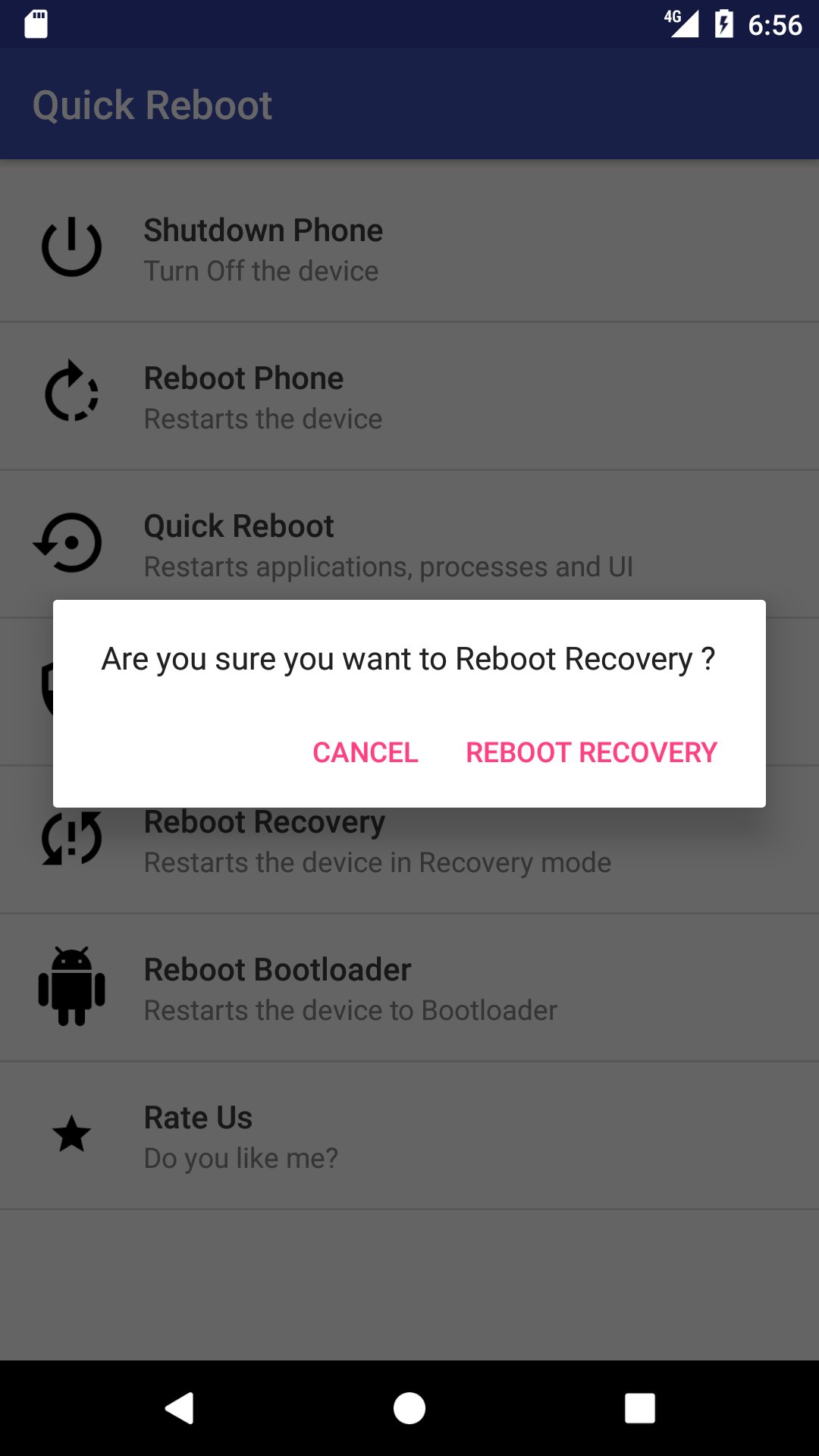
Quick Reboot helps you to reboot/ restarts your device quickly! You can:
• Reboot/Restart your device
• Reboot/Restart your device faster
• Reboot/Restart to safe mode
• Reboot/Restart to recovery
• Reboot/Restart to bootloader
• Power/Switch off your device
Kindly grant Root Permission to the App.
How it works and why do I need a rooted device?
Reboot/Restart uses "reboot" system commands, which require root access.
What's new in the latest 1.0.7
Last updated on 2021-05-22
***Updated Performance***
-Update with the newer Android 11 SDK (30) support.
-Killed some bugs.
-Reduced app size.
-More faster Restarts, Shutdown and Reboot to Recovery.
-Now you can:
• Reboot/Restart your device faster
• Reboot/Restart to safe mode
• Reboot/Restart to bootloader
-Made it light and optimized to consume/use Minimum Memory/Resources resulting in Easy to use experience.
-Update with the newer Android 11 SDK (30) support.
-Killed some bugs.
-Reduced app size.
-More faster Restarts, Shutdown and Reboot to Recovery.
-Now you can:
• Reboot/Restart your device faster
• Reboot/Restart to safe mode
• Reboot/Restart to bootloader
-Made it light and optimized to consume/use Minimum Memory/Resources resulting in Easy to use experience.
![Quick Reboot [ROOT] 포스터](https://image-eo.winudf.com/v2/image/Y29tLmF3aXNlcmsua3VuZGFsaWFzLnJvb3Rib290X3NjcmVlbl8wX2pxeWdyYmto/screen-0.jpg?h=180&fakeurl=1&type=.jpg)
![Quick Reboot [ROOT] 스크린샷 1](https://image-eo.winudf.com/v2/image/Y29tLmF3aXNlcmsua3VuZGFsaWFzLnJvb3Rib290X3NjcmVlbl8xX25rb2dtcDZm/screen-1.jpg?h=180&fakeurl=1&type=.jpg)
![Quick Reboot [ROOT] 스크린샷 2](https://image-eo.winudf.com/v2/image/Y29tLmF3aXNlcmsua3VuZGFsaWFzLnJvb3Rib290X3NjcmVlbl8yX3l5amNtcHE0/screen-2.jpg?h=180&fakeurl=1&type=.jpg)
![Quick Reboot [ROOT] 스크린샷 3](https://image-eo.winudf.com/v2/image/Y29tLmF3aXNlcmsua3VuZGFsaWFzLnJvb3Rib290X3NjcmVlbl8zX3c2aDNqcXI1/screen-3.jpg?h=180&fakeurl=1&type=.jpg)
![Quick Reboot [ROOT] 스크린샷 4](https://image-eo.winudf.com/v2/image/Y29tLmF3aXNlcmsua3VuZGFsaWFzLnJvb3Rib290X3NjcmVlbl80XzcxMzhkMWh2/screen-4.jpg?h=180&fakeurl=1&type=.jpg)
![Quick Reboot [ROOT] 스크린샷 5](https://image-eo.winudf.com/v2/image/Y29tLmF3aXNlcmsua3VuZGFsaWFzLnJvb3Rib290X3NjcmVlbl81X2Zvcmp5bzF1/screen-5.jpg?h=180&fakeurl=1&type=.jpg)
![Quick Reboot [ROOT] 스크린샷 6](https://image-eo.winudf.com/v2/image/Y29tLmF3aXNlcmsua3VuZGFsaWFzLnJvb3Rib290X3NjcmVlbl82X3gwcTQxb2Zm/screen-6.jpg?h=180&fakeurl=1&type=.jpg)
![Quick Reboot [ROOT] 스크린샷 7](https://image-eo.winudf.com/v2/image/Y29tLmF3aXNlcmsua3VuZGFsaWFzLnJvb3Rib290X3NjcmVlbl83X213cDd2Z2E4/screen-7.jpg?h=180&fakeurl=1&type=.jpg)