패키지 이름:com.cca.icenter.simple.controlcenter
더 보기

Control all apps from Simple Control Center App. Instant access to all controls!
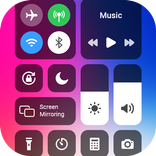
Simple Control Center is an all-in-one solution for managing your mobile device effortlessly. Control center allows you to access all of your controls in the control center bar easily and effectively at your fingertips.
Take Control of Your Phone with the Simple Control Center App!
Simple Control Center Features:>
✔ Wi-Fi Management: The camera control center app allows you to quickly manage the Wi-Fi settings, toggle between internet connection on and off and connect to available networks at one tap.
✔ Volume & Brightness Control: Now adjust volume & brightness with user-friendly customized sliders, whether you're in bright sunlight or in a dark room.
✔ Mobile Data: Easy control center app allows you to active or deactivate the mobile phone data effortlessly.
✔ Bluetooth Connectivity: Easily connect and pair your mobile device with Bluetooth enabled accessories like speaker, air buds, smart device & headphones.
✔ Orientation Lock: Lock your mobile screen orientation easily to your preferred mode for better viewing experience.
✔ Dark & Light Mode Toggle: This simple control center bar app allows you to effectively switch between dark & light modes.
✔ Torch Control: This custom control center app allows you to switch on and off flashlight or torch when you need it.
✔ Airplane Mode: Use this mode to disable all wireless connections at just one tap.
✔ Screen Recorder: The control center launcher app allows you to record your on-screen activity i.e. gameplay, tutorials and videos etc.
✔ Screenshot Capture: At just one tap, capture your device screen by tapping the screenshot icon. And the quick control center app saves the image to your gallery automatically.
✔ Do Not Disturb Mode: Control panel app allows you to silence calls, alerts & notifications for sleeping or focused time.
Simple Control Center App gives you instant access to favorite apps like Camera, Calculator, Clock, Messaging App, Flashlight or any other app.
How to Open Control Center Simple App?
- Give all necessary permissions and enable Simple Control Center
- Set size, color, orientation and background according to your choice
- Swipe down right, swipe down left, swipe right or swipe left to open control center launcher
A control center app simply be used as a centralized hub for managing various functionalities, preferences, settings and controls on mobile device. It provides users a convenient way to access essential controls and apps of mobile device without navigating through multiple menus.
With Control Center Launcher App, you can set your frequently user app as a quick-access shortcut. Personalize your mobile device by customizing the Simple Control Center to showcase your favorite app.
Whether it's a music player app, messaging app, a tool app, productivity or camera app. Center control app allows you to streamline your daily mobile usage routine. Your convenience is just a tap away!
If you have any query in mind about the Simple Control Center App, don’t hesitate to contact us. You can email us at [email protected]. We will definitely contact you back as soon as possible. Thank you for using the control center launcher app!
NOTE ABOUT APPLICATION ACCESS SERVICE:
This application uses ACCESSIBILITY_SERVICES
To display control center launcher view on the Mobile screen, this Center Control app requires you to enable accessibility service. In addition to this, to increase or decrease the brightness and volume or to use the music player feature, this application needs to get accessibility service functions such as permission to draw on top of other apps, volume control, music control, volume control and removing system dialog boxes.
This application does not collect, store or share any user data. Neither this application discloses any user information in connection with ACCESSIBLITY SERVICES.


등급과 피드백에 감사드립니다!
당신은 이미 평가했습니다.