
APKPure에서 안전하고 빠른 APK 다운로드
APKPure는 바이러스 없는 Text Aide APK 다운로드를 위해 서명 확인을 사용합니다.

Due to a hard disk crash, further development has been suspended for now. Sorry!
Before leaving a bad rating please read the description, watch the video and/or contact me. I'll attend to your queries ASAP
TEXT AIDE provides you some useful utilities
DEFINE
This feature shows you a swift little pop-up with the definition of the word. Ideal when you are reading an e-book or a news article and find it rather distracting to open a dictionary app again and again.
🔶 There are three ways to do this
- First is to activate a feature called "Copy Aide" from settings. As the name suggests, you just have to select some text and hit the copy button to see the definition of the word.
It can be easily paused from the notification when not needed.
Enabling the + button shows you a pop-up with the copied text, which is useful in apps like WhatsApp where a word can't be selected singularly from the chats
- Second is to Share the text and click on Define
- Third is to use the homescreen widget.
- For Play Books you can also use "Web search" feature. And for Moon+, FB Reader dictionary feature, choose "ColorDict"
🔶 Offline definitions available in 5 languages: English, French, German, Italian and Spanish (A very big thanks to Livio for providing access to their data)
To get more languages, you can also use my app Dict Aide, which supports StarDict dictionary packs.
🔶 Online thesaurus with a list of synonyms and antonyms
🔶 In addition to that, you can quickly switch to Wikipedia for additional information and Wiktionary for languages that currently do not have offline access. You can do this in any language! Just modify it in the settings.
EXPAND
This gives you system wide text expansion. You can define a macro (shortcut) like @addhome to type your full home address! Very useful if you type something often.
Just set a shorthand and let Text Aide do the rest!
Also includes dynamic macros like current date, time etc. Check out the whole list under Expand > Settings
[Only works on Android versions greater than 4.3 if Xposed framework in not available on your device]
SEARCH+
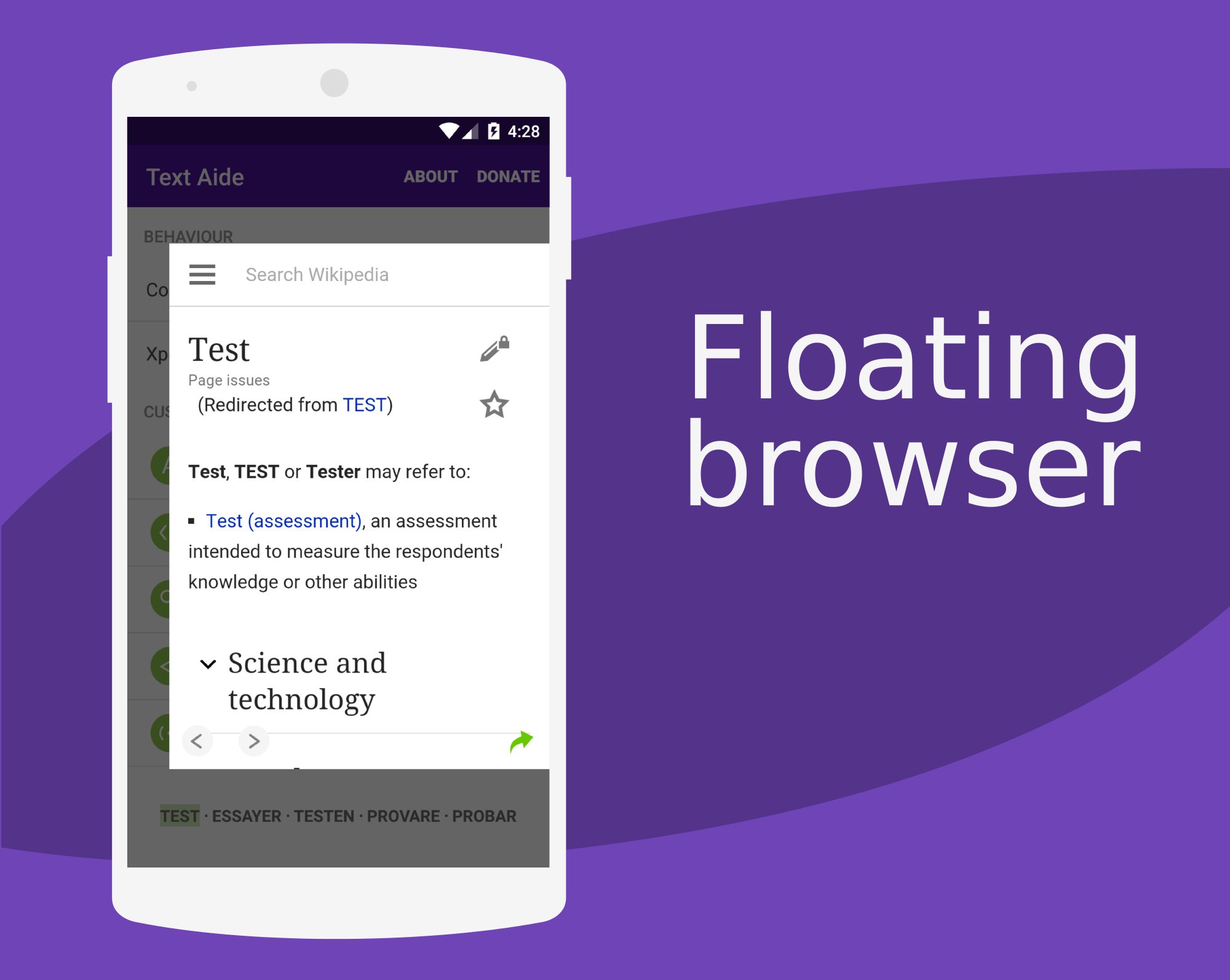
You can add a list of your favourite search engines and access them quickly from a sidebar. Also includes a floating browser
- First way is to use Copy Aide and enable the search button from the notification.
- Second is to share the text and then select Search+
- Third is to use the search button in AOSP (based) browsers or apps like Wikipedia.
- It can also be done using the homescreen widget
SHARE
You can do the following things by sharing text
🔶 Copy - As the name suggests, you can copy it from the share menu
This will also be shown in browser selection menu (when you tap on a link).
🔶 Dial You can use the shared text to place a call.
🔶 Open As URL - This allows you to open the selected text in the web browser as a URL/link (if it's valid).
SPEAK
Using this feature, you can make (almost) any text on your device speak using TTS engine.
This can be very useful if you're learning a new language!
- First way is to use Copy Aide and enable the Speak button from the notification.
- Second is to share the text and then select 'Speak' from the dialog
- It can also be done using the homescreen widget
➕ Xposed gives you additional control.
You can double tap a TextView (which means fields like WhatsApp chat bubbles, YouTube comments, Play store description,etc) to force selection.
This, however, has some limitations and might not work in all apps.
You will also get all the five buttons (Define, Dial, Search+, Share & Speak) in the contextual action bar on selecting some text in most apps.
For Chrome, you can use my module called Chrome Selection Patch
Browsers like Dolphin, Opera, etc are not supported
💡 If you have suggestions, queries, complaints, etc feel free to send an e-mail, visit the Google+ commuity or XDA support page [ http://bit.ly/XDATX ]
9.0 Beta 3
About > Changelog (inside the app)
* Nougat users who were having trouble with the floating browser are recommended to update to 9.0 Beta 2 or later




등급과 피드백에 감사드립니다!
당신은 이미 평가했습니다.

![텍스트 스캐너 [OCR]](https://image-eo.winudf.com/v2/image1/Y29tLnBlYWNlLlRleHRTY2FubmVyX2ljb25fMTc4MzE5MTcwMl8wODU/icon.png?w=156&fakeurl=1)