Task Manager Shortcut

Task Manager Shortcut

Ev-Z
Oct 10, 2015
  • 158.1 KB

    Bestandsgrootte

  • Android 2.1+

    Android OS

Over Task Manager Shortcut

Enjoy millions of the latest Android apps, games, music, movies, TV, books, magazines & more. Anytime, anywhere, across your devices.

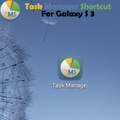
Task Manager Shortcut for Galaxy S 3.

By default to access Task Manager you need to long press Home button and than to press Task Manager button.

This tiny application will create direct shortcut for Task Manager in your installed applications list.

You can use widget or just create hhortcut on your home screen.

Meer Info

What's new in the latest 20120804

Last updated on 2015-10-10
- New Widget
Meer Info

Video's en screenshots

  • Task Manager Shortcut-poster
  • Task Manager Shortcut screenshot 1
  • Task Manager Shortcut screenshot 2

Task Manager Shortcut APK -informatie

Laatste versie
20120804
Categorie
Tools
Android OS
Android 2.1+
Bestandsgrootte
158.1 KB
Ontwikkelaar
Ev-Z
Inhoudsbeoordeling
Unrated · Warning – content has not yet been rated. Unrated apps may potentially contain content appropriate for mature audiences only.
Veilige en snelle APK Downloads op APKPure
APKPure gebruikt handtekeningverificatie om virusvrije Task Manager Shortcut APK downloads voor u te garanderen.

Oude versies van Task Manager Shortcut

APKPure-icoon

Supersnel en veilig downloaden via de APKPure-app

Eén klik om XAPK/APK-bestanden op Android te installeren!

Downloaden APKPure
thank icon
We use cookies and other technologies on this website to enhance your user experience.
By clicking any link on this page you are giving your consent to our Privacy Policy and Cookies Policy.
Learn More about Policies