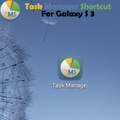
Task Manager Shortcut

Task Manager Shortcut

Ev-Z
Oct 10, 2015
  • 158.1 KB

    File Size

  • Android 2.1+

    Android OS

About Task Manager Shortcut

Enjoy millions of the latest Android apps, games, music, movies, TV, books, magazines & more. Anytime, anywhere, across your devices.

Task Manager Shortcut for Galaxy S 3.

By default to access Task Manager you need to long press Home button and than to press Task Manager button.

This tiny application will create direct shortcut for Task Manager in your installed applications list.

You can use widget or just create hhortcut on your home screen.

Show More

What's new in the latest 20120804

Last updated on 2015-10-10
- New Widget
Show More

Videos and Screenshots

  • Task Manager Shortcut poster
  • Task Manager Shortcut screenshot 1
  • Task Manager Shortcut screenshot 2

Task Manager Shortcut APK Information

Latest Version
20120804
Category
Tools
Android OS
Android 2.1+
File Size
158.1 KB
Developer
Ev-Z
Content Rating
Unrated · Warning – content has not yet been rated. Unrated apps may potentially contain content appropriate for mature audiences only.
Safe & Fast APK Downloads on APKPure
APKPure uses signature verification to ensure virus-free Task Manager Shortcut APK downloads for you.

Old Versions of Task Manager Shortcut

APKPure icon

Super Fast and Safe Downloading via APKPure App

One-click to install XAPK/APK files on Android!

Download APKPure
thank icon
We use cookies and other technologies on this website to enhance your user experience.
By clicking any link on this page you are giving your consent to our Privacy Policy and Cookies Policy.
Learn More about Policies