
Безопасная и Быстрая Загрузка APK на APKPure
APKPure позволяет легко и безопасно загружать Gallery APK с проверкой подписи.

Галерея позволяет просматривать фотографии и видео вы захватили.
The Gallery allows you to view pictures and videos you have captured. With photos, you can access the edit functions, set an image as a contact photo or wallpaper, or share the image.
There are three different views in which you can display your media content. Touch a picture/video to view the media
1: Grid View
2: TimeLine View
3: Spiral View
Touch Albums at the top-left corner of the screen to sort by Albums, Time, Locations, Person, Group, or Favorites.
Slideshow: Start a slideshow of the image files in the gallery.
New album: Create a new album.
View by: Choose the content you would like to appear in the Gallery. Select from All, Content in device, Content in Facebook, and Content in Picasa. If the option is grayed out, there is no corresponding account present on the device.
Select album: Select multiple albums to Delete, Share, or view a Slideshow.
Scan for nearby devices: Scan for nearby devices you can share with wirelessly.
Hide/Show nearby devices: Hide or show nearby devices' albums.
Edit: Edit the image with Photo Wizard or Paper Artist.
Slideshow: Start a slideshow of the image files in the current folder.
Favorites: Tag the image as a favorite.
Face tag: Tag any faces shown in the screenshot.
Copy to clipboard: Copy the screenshot to the device clipboard for pasting into other applications.
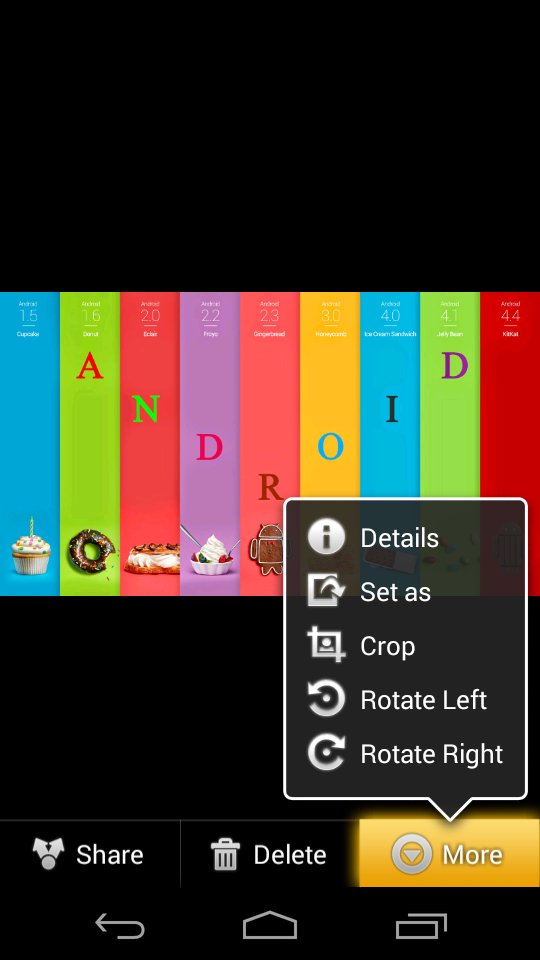
Rotate left
Rotate right
Slideshow: Start a slideshow of the image files in the gallery.
New album: Create a new album.
View by: Choose the content you would like to appear in the Gallery. Select from All, Content in device, Content in Facebook, and Content in Picasa. If the option is grayed out, there is no corresponding account present on the device.
Select album: Select multiple albums to Delete, Share, or view a Slideshow.
Crop: Crop unwanted areas out of the screenshot.
Set as: Set the picture as a Contact photo, Home screen wallpaper, Lock screen wallpaper, or Home and lock screens wallpaper.
Buddy photo share: Tag the screenshot for easy sharing with a contact.
Print: Print the image to a Samsung wireless printer.
Rename: Rename the file.
Scan for nearby devices: Scan for nearby devices you can share with wirelessly.
Details: Shows technical information about the picture, such as the size.







Один клик для установки XAPK/APK файлов на Android!

Спасибо за оценки и отзывы!
Вы уже оценили.