ดาวน์โหลด APK ได้อย่างปลอดภัยและรวดเร็วบน APKPure
APKPure ใช้การตรวจสอบลายเซ็นเพื่อประกันการดาวน์โหลด APK ของ Remote Camera Client ที่ปลอดไวรัสสำหรับคุณ

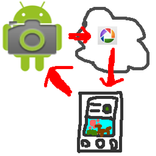
Send shoot command to "Remote Camera" app and receive a picture taken.
*You need another device in which "remote camera" installed.
You can shoot with another device's camera and view the picture taken remotely.
How to use
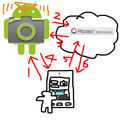
1. Install "remote camera" into another device and keep running the "remote camera" app.
2. Run this app
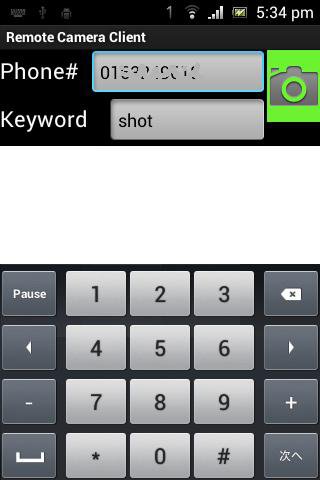
3. Fill [phone#] field with phone number of the device "remote camera" is running.
4. Fill [keyword] field with the keyword specified in "remote camera" app.
5. Click green camera icon, and wait for a while. It takes few minutes.
6. The picture taken will be shown.



คลิกเพียงครั้งเดียวเพื่อติดตั้งไฟล์ XAPK/APK บน Android!

ขอบคุณสำหรับการให้คะแนนและข้อเสนอแนะของคุณ!
คุณได้ให้คะแนนแล้ว