Remote Desktop - Touchpad++

Remote Desktop - Touchpad++

Droid Atom
2016年06月30日
  • 11.2 MB

    文件大小

  • Everyone

  • Android 2.2+

    Android OS

關於Remote Desktop - Touchpad++

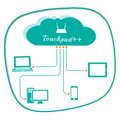
它可以讓你與你的手機/平板電腦控制您的電腦。

Want to feel your normal PC screen to touch screen. Then Try Touchpad++. It will realize you are working with touch screen computer. It allows you to control your PC with your phone/tablet.

How to use?

Download Touchpad++ server setup for window PC : http://bit.ly/1jfpyHO

•Install program on Pc, then Run it as administrator.

•Make sure PC and Android phone are in the same network. You can use android phone as portable hotspot and connect to PC.

•Run app on Android phone, then input IP address of PC and click “connect”.

Thank you.

Hope you Enjoy it.

更多

最新版本1.1的更新日誌

Last updated on 2016年06月30日
Minor bug fixes and improvements. Install or update to the newest version to check it out!
更多

視頻和屏幕截圖

  • Android 版預告片
  • Remote Desktop - Touchpad++ 截圖 1
  • Remote Desktop - Touchpad++ 截圖 2
  • Remote Desktop - Touchpad++ 截圖 3
  • Remote Desktop - Touchpad++ 截圖 4
  • Remote Desktop - Touchpad++ 截圖 5

Remote Desktop - Touchpad++ APK信息

最新版本
1.1
Android OS
Android 2.2+
文件大小
11.2 MB
開發者
Droid Atom
內容分級
Everyone
在APKPure安全快速地下載APK
APKPure 使用簽章驗證功能,確保為您提供無病毒的 Remote Desktop - Touchpad++ APK 下載。

Remote Desktop - Touchpad++歷史版本

APKPure 圖標

在APKPure極速安全下載應用程式

一鍵安裝安卓XAPK/APK文件!

下載 APKPure
thank icon
We use cookies and other technologies on this website to enhance your user experience.
By clicking any link on this page you are giving your consent to our Privacy Policy and Cookies Policy.
Learn More about Policies